
FROM OUR BLOG
Top 8 Music Video Maker Tools for Every Budget and Genre in 2026

Quick Answer: The best music video maker in 2026 depends on one thing: what you need the video to do. For a complete start-to-publish workflow with no editing experience, Clipstars.ai is the most efficient option — beat-synced AI visuals, lyric overlays, and direct social export in under 5 minutes.
The Music Video Is No Longer Optional
In 2026, a track without a video is a track that underperforms. The platforms where music discovery happens — TikTok, Instagram Reels, YouTube Shorts — are built entirely around video. An audio-only upload on any of these platforms gets a fraction of the algorithmic distribution of a video post.
The numbers make this concrete:
According to Statista, the average music video for an independent artist costs between $1,000 and $10,000 through traditional production — major label productions regularly exceed $100,000
The global generative AI in music market was valued at $642.8 million in 2024 and is projected to reach $3 billion by 2030, growing at 29.5% CAGR (Unite.AI)
AI music video tools now reduce production costs by 90–99% for typical independent artist use cases (One More Shot, March 2026)
YouTube Shorts now generates over 200 billion daily views with a 5.91% average engagement rate — the highest of any short-form platform (AutoFaceless, Q1 2026)
The question is no longer whether to make a music video. It is which music video maker fits your workflow, budget, and genre.
How to Choose the Right Music Video Maker: 5 Questions First
Before comparing platforms, answer these five questions. The answers determine which tool is actually right for you — not which one has the best marketing.
1. What is your primary distribution platform? TikTok, Instagram Reels, and YouTube Shorts require 9:16 vertical video. Standard YouTube needs 16:9 horizontal. Spotify Canvas needs a 3–8 second looping vertical clip. A good music video maker handles your target format natively — not as an afterthought.
2. How much editing experience do you have? Some tools — including Clipstars.ai and Onemoreshot.ai — require zero editing experience. You upload audio and export video. Others — including Kapwing and Runway — reward editing knowledge with significantly better output. Honest self-assessment here saves a lot of frustration.
3. What visual style does your music demand? Hip-hop and R&B often lead with lyric videos. EDM performs well with beat visualizers and audio-reactive abstract visuals. Indie and singer-songwriter content benefits from narrative or performance-style scenes. Electronic and lo-fi work well with looping, mood-driven visuals. Match the tool's output strengths to your genre.
4. How many videos do you need to produce per month? One video for a single release has different tool requirements than 20 videos per month for a content-first social strategy. Speed, batch processing, and cost per render matter more at volume.
5. What is your actual budget? Free tiers with real limitations, $10–$16/month entry plans, and $35+/month production tools serve fundamentally different needs. According to a May 2026 report by Geeky Gadgets, only 3 out of 10 free AI video tools deliver results suitable for real brand use. The free tier is the right starting point — but know what it actually covers before building a workflow around it.
The 8 Best Music Video Maker Tools in 2026
1. Clipstars.ai — Best All-in-One Music Video Maker
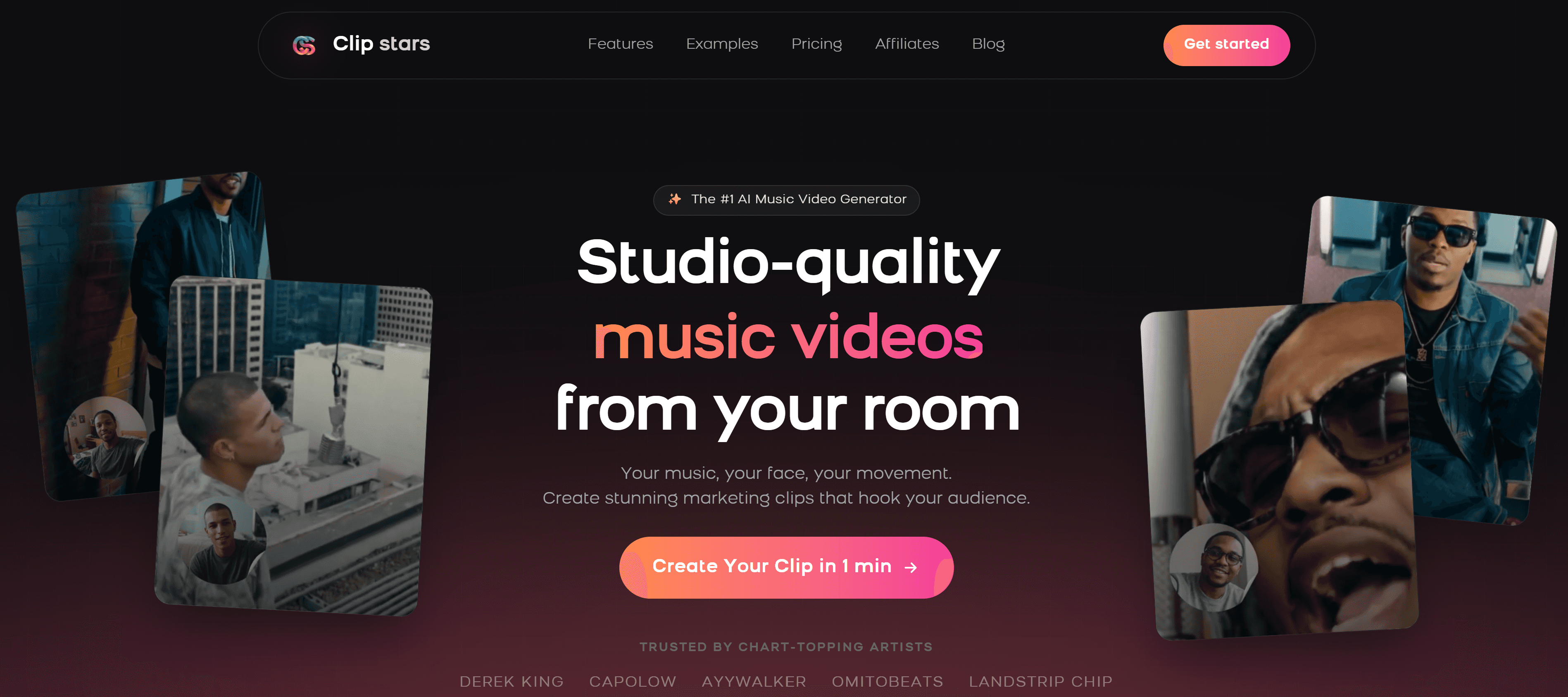
Clipstars.ai is purpose-built for the complete audio-to-published-video workflow: upload your track, choose a visual style, set your aspect ratio, and export directly to TikTok, Instagram Reels, or YouTube Shorts — all without any editing experience.
What separates it from generic video tools is the combination of four capabilities in a single workflow that most platforms split across different tiers or tools entirely: beat-synced AI visual generation, lyric overlay with auto-transcription, Image-to-Video (I2V) mode for campaign visual consistency, and platform-specific export presets with correct compression settings.
What works:
Genre-Aware Pacing adapts visual transitions to the emotional arc of your music, not just BPM — hard cuts for EDM drops, slow dissolves for ballads, mid-paced transitions for pop
Lyric overlay with auto-transcription — no
.lrcfile, no manual typing required (Pro tier)I2V mode: upload one reference image and generate visually consistent scenes across an entire album campaign (Pro tier)
Direct export presets for TikTok, Instagram Reels, YouTube Shorts, and Facebook — correct compression handled automatically
Free tier: videos up to 90 seconds, no watermark, no credit card required
What to know:
Lyric overlay and I2V mode are Pro features ($14/month)
Render time: approximately 2–4 minutes for a standard 3-minute track
Visual style library is solid but narrower than dedicated visualizer tools
Pricing: Free tier available. Pro from $14/month. Best for: Independent artists, social media managers, content creators who need a complete start-to-post workflow at a price that makes sense for regular posting.
The math: At daily posting frequency on the Pro plan, the cost per video is approximately $0.46 — versus $150–$300 for a basic lyric video on Fiverr.
2. Freebeat.ai — Best Music Video Maker for Lyric-First Content
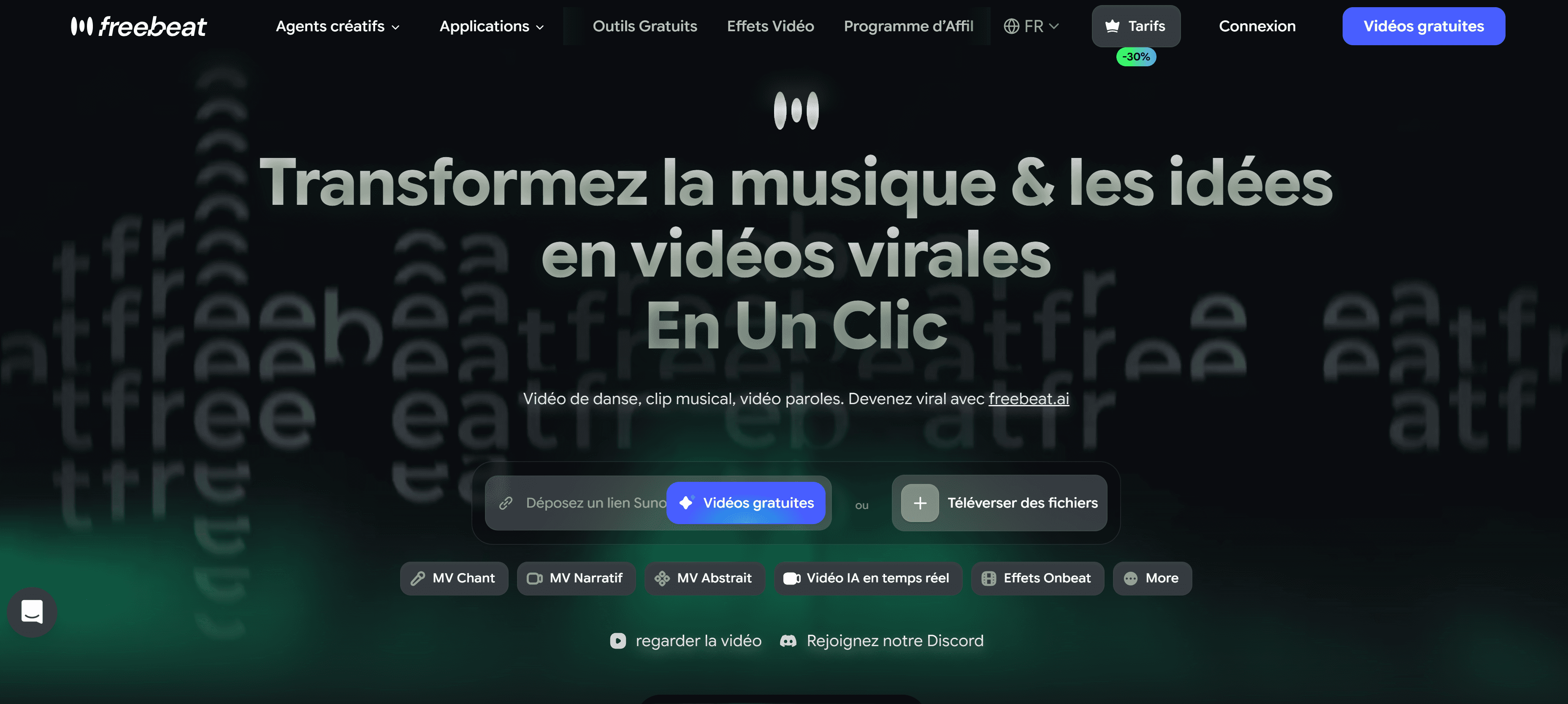
Freebeat.ai functions as what it calls an "AI director" — it plans, shoots, and edits a music video automatically from your audio, with a particular strength in lyric video generation. As New Wave Magazine noted in a March 2026 review of AI music video creators: "Freebeat is something different — a platform that actually thinks in music, builds to your song structure, and delivers professional-quality results that a working musician can actually publish."
The platform analyzes rhythm, structure, and mood before generating visuals — not generic template motion applied to any audio. This music-first approach is what separates it from general-purpose video tools.
What works:
Best lyric animation options in the category — font, animation style, per-word highlight timing
BPM + structure + mood analysis: the AI identifies verse, chorus, and bridge and adapts visuals accordingly
Broadest input source support: MP3, WAV, FLAC, SoundCloud, YouTube, Suno, Udio, TikTok, Riffusion, Stable Audio links
Storyboard-style planning with editable shot sequences
Full commercial rights retained on all outputs
What to know:
Free plan includes a watermark
No direct TikTok publishing integration — manual upload required
Beat visualizer less developed than dedicated tools like Beatviz.ai
Pricing: Free tier with watermark. Standard from $9.99/month. Best for: Hip-hop, R&B, and pop artists for whom the lyric video is the primary visual format.
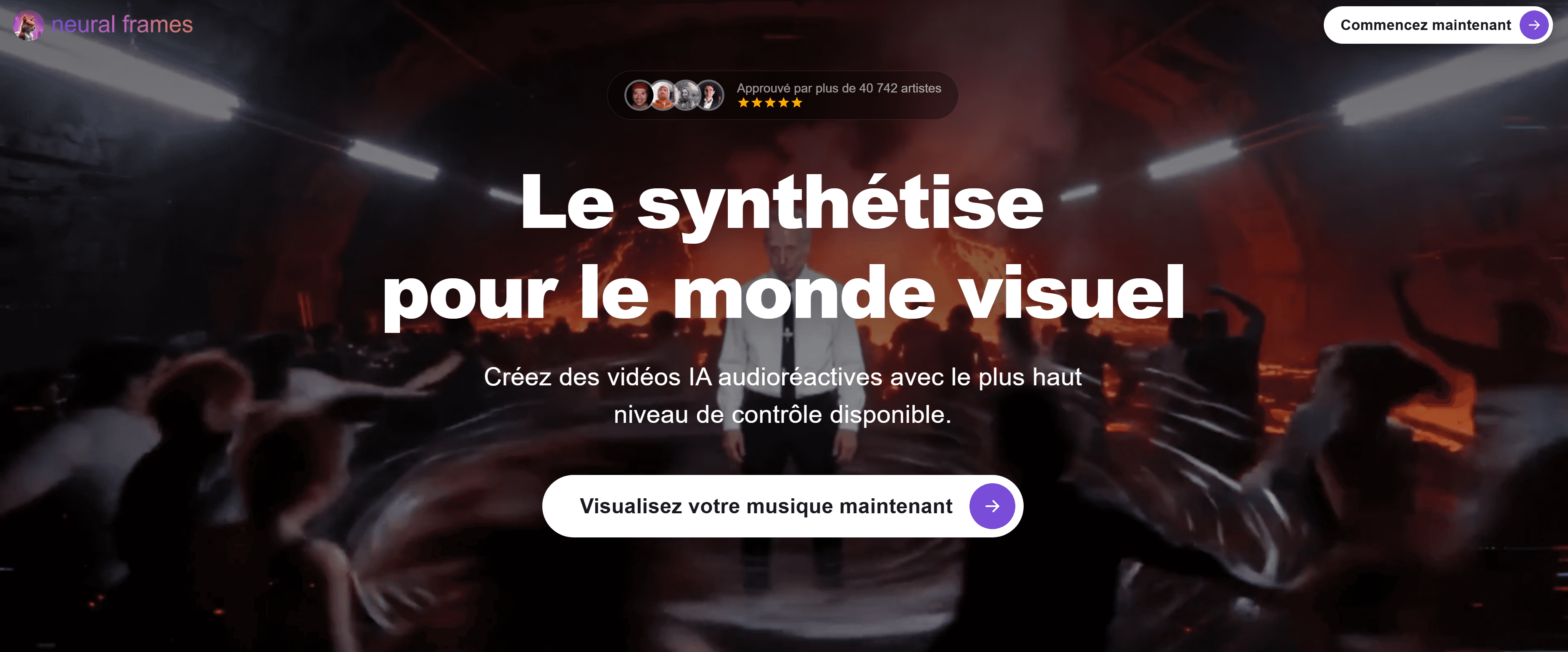
3. Neural Frames — Best Music Video Maker for Audio-Reactive Visuals
Neural Frames splits every audio track into 8 stems — vocals, drums, bass, synths, and four additional elements — so visuals respond to specific components of the mix rather than just overall loudness. As the platform describes it: the video responds to "a hi-hat pattern, a vocal phrase, a bass drop" rather than the waveform envelope. The result is the most musically intelligent visual sync currently available in a consumer music video maker.
The platform exports in 4K and has been used by over 10,000 artists to create more than two million videos since 2023.
What works:
8-stem audio separation — the deepest beat-reactive analysis in the category
4K export — highest resolution output available in this market segment
Chat-based direction: describe visual changes in natural language and the AI applies them
Character and style consistency tools across multiple shots
Strong for electronic, ambient, and experimental genres where audio-reactivity is the visual centerpiece
What to know:
Meaningful use requires a paid plan — the free tier is limited
More technical learning curve than upload-and-export tools
Less suited to lyric video workflows than Clipstars or Freebeat
Pricing: From approximately $15/month for meaningful use. Best for: Producers, DJs, and electronic artists who want the most musically accurate audio-reactive visuals available.
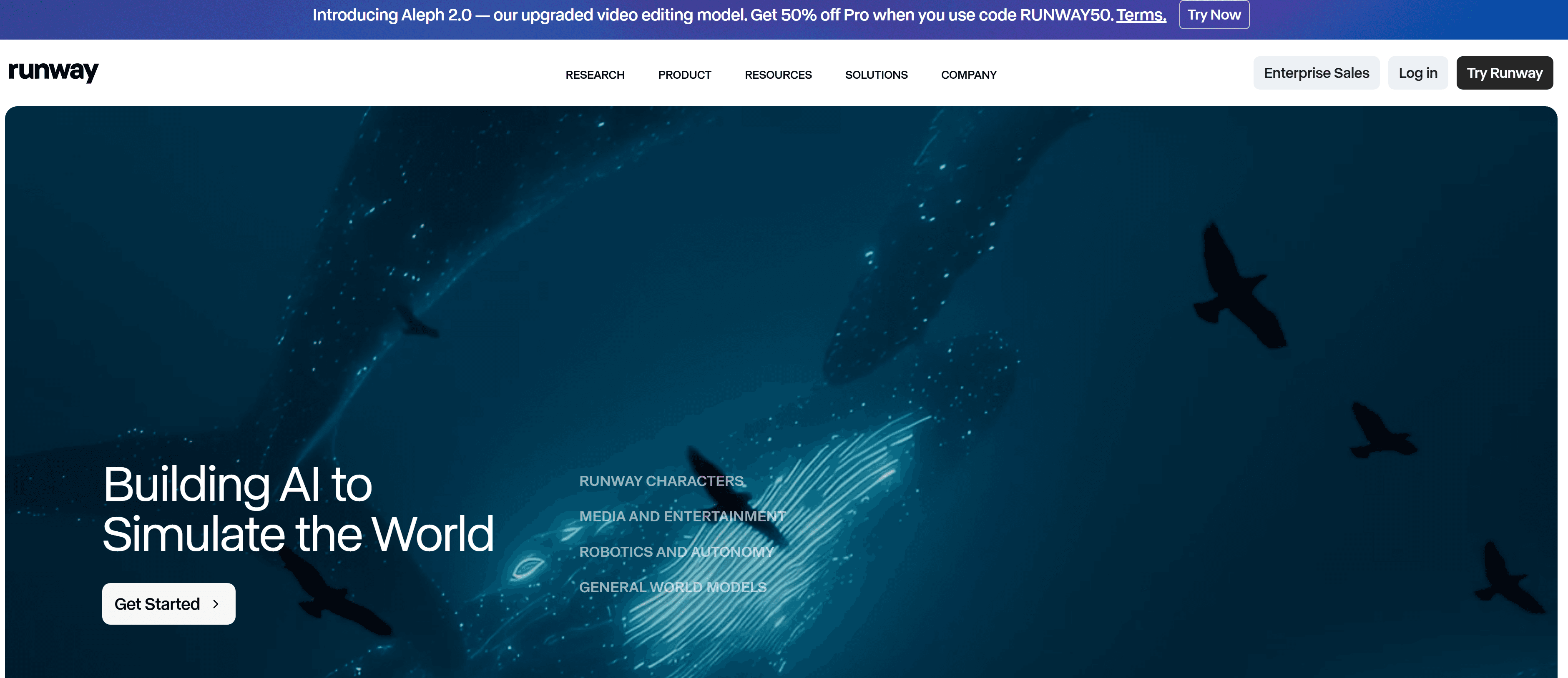
4. Runway Gen-4 — Best Music Video Maker for Cinematic Quality
Runway Gen-4, released in late 2025, represents a genuine quality step change in AI video generation. According to industry reports from G2 cited in a May 2026 round-up, Runway Gen-4 is now one of three market leaders for pure video generation quality alongside ByteDance's integrated suite and OpenAI's Sora.
For artists who want their music video to look like it was produced — not generated — Runway is unmatched at this price point. The tradeoff is cost, complexity, and the absence of automated beat sync.
What works:
Best pure AI video quality available to independent artists in 2026
Significant temporal stability improvements in Gen-4: scenes remain coherent across cuts
I2V mode for consistent character and environment rendering across shots
Strong for artists with a specific visual concept and the patience to prompt-engineer it
What to know:
No automated beat sync — all visual transitions are set manually
Significant prompting learning curve; best results require experience with text-to-video workflows
Expensive: meaningful use requires $35+/month; entry plan from $12/month
Not designed for rapid-turnaround social posting
Pricing: From $12/month; meaningful production use requires $35+/month. Best for: Artists with a specific release, a creative vision, and a budget — where visual quality is the priority over speed or cost.
5. Kapwing — Best Music Video Maker for Teams and Editing Control
Kapwing is a full browser-based video editor trusted by over 35 million creators, with AI features layered in. It is not a pure AI music video maker — it is a complete video editor that happens to have strong AI tools. For teams managing multiple artists, social media managers who need frame-level control, or anyone comfortable with a basic timeline editor, it is the most flexible option on this list.
What works:
Full timeline editor for precise control over every cut and transition
Auto-captioning powered by Dolby Technology — high accuracy across multiple languages
Real-time team collaboration — relevant for labels, agencies, and artist/manager setups
New 2026 "Auto-Edit social clip" mode for rapid vertical formatting
Strong subtitle and lyric overlay tools
What to know:
Beat sync is semi-automatic — transitions require manual placement
AI visual generation is limited compared to purpose-built music video tools
Free exports include a Kapwing watermark; removal requires Pro ($16/month)
Pricing: Free with watermark. Pro from $16/month. Best for: Teams, agencies, social media managers who need editing flexibility and collaboration features.
6. Kaiber — Best Music Video Maker for Stylized Loop Visuals
Kaiber focuses on stylized, mood-driven animated visuals — not cinematic realism. As Caribbean National Weekly's 2026 music video tool review noted, Kaiber is the right pick "if you want stylized animated visuals and mood-driven loops." Its audioreactivity creates visuals that synchronize dynamically with audio, and the visual style library leans distinctly artistic.
What works:
Audio-reactive visuals that respond dynamically to the track
Distinctive stylized aesthetic — stands out from generic AI video output
Good for artists building a recognizable visual identity around a particular look
Free trial includes 100 credits; entry plan from $5/month — lowest entry cost on this list
What to know:
Less suited to lyric video or narrative video workflows
More limited export options than Clipstars or Kapwing
Better as a secondary tool for mood loops and visual identity pieces than a primary production workflow
Pricing: Free trial (100 credits). Plans from $5/month. Best for: Artists who want distinctive, mood-driven looping visuals for TikTok, Spotify Canvas, and Instagram Reels.
7. Onemoreshot.ai — Best Music Video Maker for First-Time Creators
One More Shot is the lowest-friction entry point on this list. The first video generates in full HD with no watermark and no credit card required — the most generous trial in the category. The AI processes tempo, mood, and energy shifts automatically and generates scenes and transitions without any manual input.
What works:
First video completely free — full HD, no watermark, no credit card
Fastest render time tested (consistently under 2 minutes)
Supports MP3, WAV, FLAC, AAC, OGG, and Suno/Udio/YouTube links
Two creation modes: fully automatic or scene-by-scene manual control
What to know:
One free video per account — subsequent videos require a paid plan (token-based)
Less creative control than Clipstars or Neural Frames for ongoing production
Visual quality less consistent across genres than the top three tools
Pricing: First video free. Token-based paid system thereafter. Best for: Artists testing AI music video quality for the first time before committing to a platform.
8. Luma AI — Best Music Video Maker for Surreal and Immersive Visuals
Luma AI specializes in immersive, surreal visual experiences — flying through abstract landscapes, exploring otherworldly architectural spaces, performing in venues that could not exist physically. As Apple World Today's March 2026 review noted: "For creative artists who want immersive or surreal visuals — flying through landscapes, exploring abstract architecture, or performing in otherworldly venues — Luma makes this achievable without a full VFX pipeline."
What works:
Distinctive, high-end surreal visual output that sets releases apart on streaming platforms
Strong for artists with a conceptual vision and patience to direct the visual narrative
Good for cinematic-quality short clips and Spotify Canvas loop content
What to know:
Not designed for rapid social media posting workflows
Requires more planning and creative direction than upload-and-export tools
Beat sync is not automated
Pricing: Free tier available. Paid plans for higher volume. Best for: Artists releasing hero content — a campaign's central visual — where distinction and quality matter more than speed.
Head-to-Head Comparison by Use Case
Use Case | Best Tool | Why |
|---|---|---|
Complete start-to-post workflow | Beat sync + lyric + I2V + social export in one | |
Lyric-first hip-hop / R&B | Best lyric animation depth in the category | |
Audio-reactive EDM visuals | Neural Frames | 8-stem separation, most musically intelligent sync |
Cinematic quality, higher budget | Runway Gen-4 | Best pure AI video quality available |
Team / agency editing control | Kapwing | Full timeline editor + team collaboration |
Stylized loops and mood visuals | Kaiber | Distinctive aesthetic, lowest entry cost |
First video, zero commitment | Onemoreshot.ai | Free first video, no credit card, under 2 minutes |
Surreal / conceptual visual art | Luma AI | Immersive, otherworldly visual quality |
Platform-by-Platform Pricing Comparison
Platform | Free Tier | Entry Paid | Mid Tier | Notes |
|---|---|---|---|---|
✅ 90 sec, no watermark | $14/month | — | Best free tier value | |
✅ Watermark | $9.99/month | — | Lowest paid entry | |
Neural Frames | ⚠️ Limited | ~$15/month | ~$30/month | 4K requires higher tier |
Runway Gen-4 | ✅ Very limited | $12/month | $35+/month | Cinematic use needs $35+ |
Kapwing | ✅ Watermark | $16/month | $25/month | Team plans available |
Kaiber | ✅ 100 credits | $5/month | ~$15/month | Lowest monthly cost |
Onemoreshot.ai | ✅ 1 video free | Token-based | — | No subscription required |
Luma AI | ✅ Limited | Varies | Varies | Check current pricing |
Step-by-Step: Making a Music Video with Clipstars in Under 10 Minutes
For artists who want the fastest path from finished track to published video, here is the exact workflow using Clipstars.ai.
Step 1 — Prepare your audio file
Trim any silence from the start and end of your track. A 2-second silent intro loses the most important viewer retention window — 71% of viewers decide whether to keep watching within the first few seconds (Marketing LTB, March 2026). Export as WAV or FLAC from your DAW for the best beat detection accuracy; MP3 at 320 kbps is fine if that is what you have.
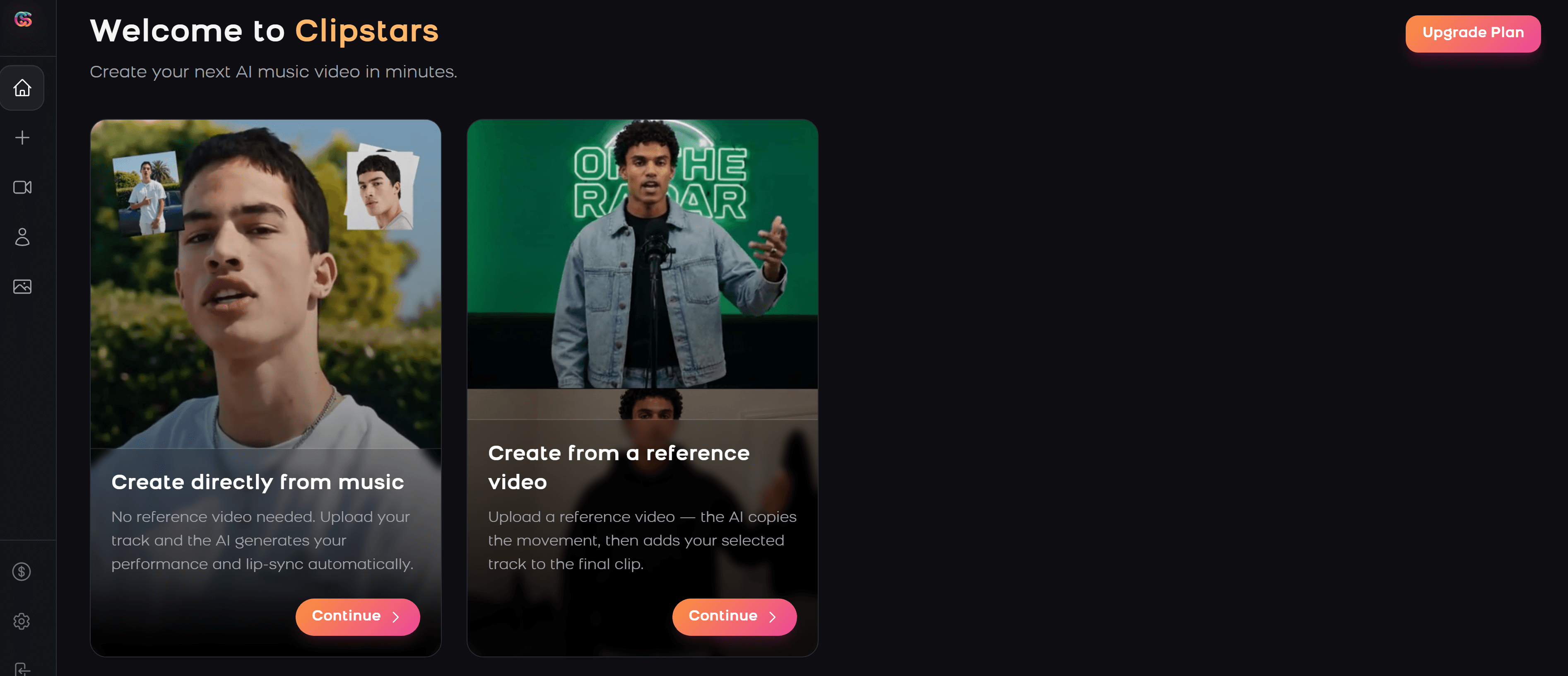
Step 2 — Upload and select your visual mode
Go to Clipstars.ai and upload your file. Choose from:
AI Scene Generation — original visuals synced to your track, no assets required
Beat Visualizer — frequency-reactive animations, best for EDM and instrumental content
Lyric Overlay — auto-transcription with animated text (Pro tier)
I2V mode — upload a reference image for campaign visual consistency (Pro tier)
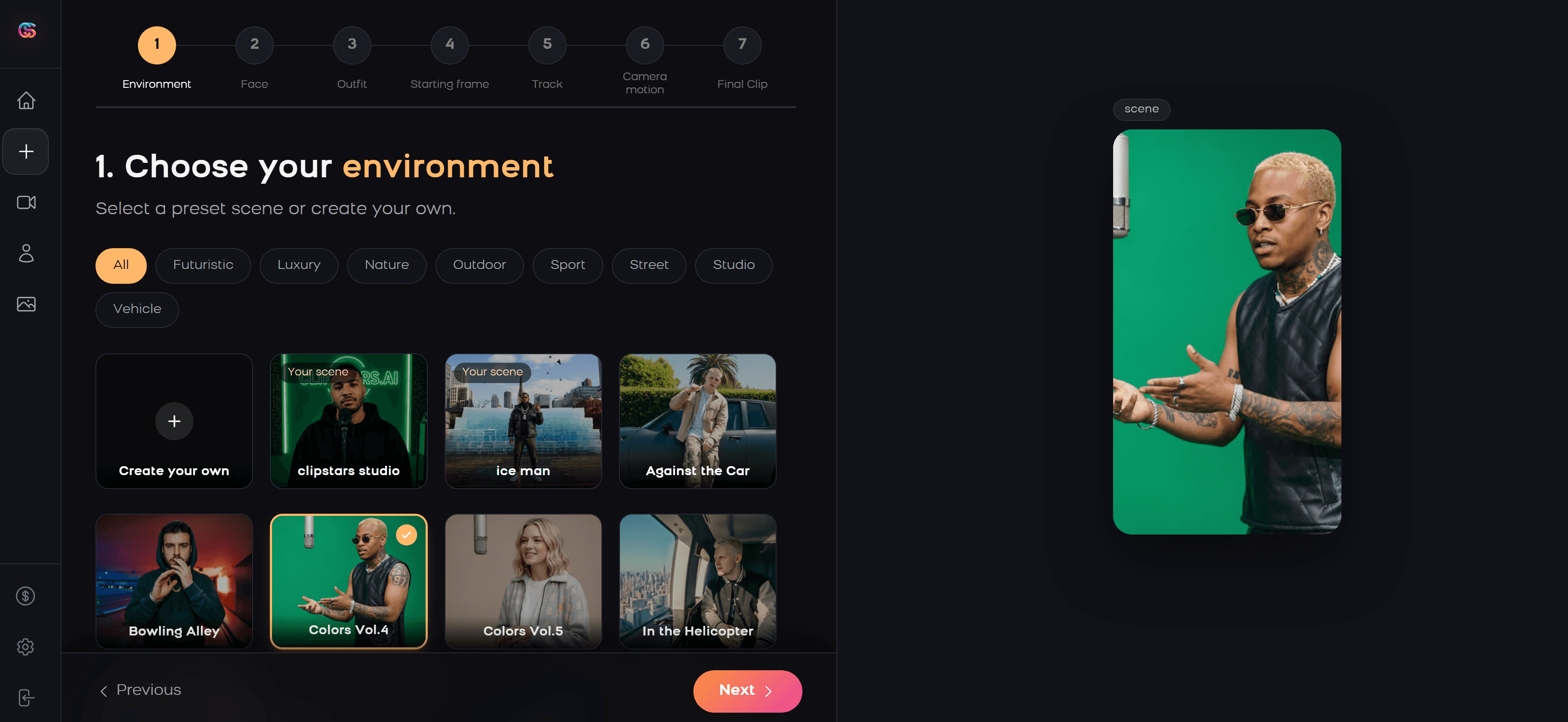
Step 3 — Set your aspect ratio
9:16 for TikTok, Instagram Reels, and YouTube Shorts. 16:9 for standard YouTube. Choose before rendering — most platforms lock the format after this step. If you are targeting YouTube Shorts specifically, note that the platform now supports videos up to 3 minutes — the full-length single is now viable in that format.
Step 4 — Preview and confirm Genre-Aware Pacing
The AI adapts visual transitions to your track's genre and emotional arc automatically. Preview the result before exporting to confirm the pacing feels musically natural.
Step 5 — Export with platform preset
Select your target platform preset. Clipstars handles per-platform compression automatically — avoiding the quality degradation that comes from manually re-exporting for each destination. Render takes 2–4 minutes. Download and publish.
For a deeper walkthrough of the audio file preparation step, read: How to Use an AI Music Video Generator from Audio File in 2026
The Real Cost of Not Having a Music Video in 2026
Traditional production is still the benchmark for visual quality — but the economics have not changed:
Budget independent production: $1,000–$10,000 (Statista, 2026)
Mid-range music video: $10,000–$50,000
Major label production: $100,000+
Basic lyric video on Fiverr: $150–$300 per track
AI music video on Clipstars Pro: ~$0.46 per video at daily posting frequency
The cost gap is not the only consideration. Time-to-market matters enormously in 2026's release cycle. An artist releasing a single competes with thousands of other tracks released the same day. A video published within hours of release consistently outperforms one published three weeks later, regardless of quality differential.
For independent artists posting multiple times per week, the AI music video maker is not a compromise — it is the only economically rational choice.
2026 Trends Reshaping the Music Video Maker Category
ByteDance's Native TikTok AI Tools
As reported by Social Media Today in February 2026, ByteDance launched a native AI video generation tool with TikTok integration, including real-time trend analysis and a "Trend-Sync" feature that automatically syncs visual transitions to trending audio. Currently limited to brand accounts, it signals where native platform tools are heading — and will create increasing competitive pressure on third-party music video makers for independent artists over the next 12–18 months.
The 3-Minute YouTube Shorts Window
YouTube extended Shorts to 3 minutes in 2025. Most artists still default to 60-second clips out of habit, leaving the 90-second to 3-minute slot with minimal competition. Channels posting Shorts grow 50% faster year-over-year (AutoFaceless, Q1 2026). Full singles are now viable for the format — tools including Clipstars already support this export length on the Pro plan.
I2V for Campaign Visual Coherence
As Cybernews noted in May 2026, Image-to-Video workflows have become the dominant method for professional visual branding because they solve the consistency problem across multiple videos. For an EP or album campaign where 5–10 videos need to feel like a unified visual world, I2V is the feature that makes it achievable without a dedicated art director.
The "AI Slop" Quality Filter
YouTube's 2026 content quality initiative has created a meaningful distinction between AI-generated content that reflects real creative decisions and mass-produced zero-effort output. Platforms that understand music structure — adjusting visuals to genre dynamics, emotional arc, and song sections rather than applying generic motion — are increasingly differentiated from those that do not. This quality gap will widen as the category matures.
Music Video Maker by Genre: Quick Reference
Hip-hop and rap: Lyric-forward content dominates. Prioritize platforms with syllable-level lyric sync and sharp, high-contrast visual styles. Clipstars.ai and Freebeat.ai lead for this use case. Dark backgrounds with minimal visual noise keep focus on the text.
EDM and electronic: Audio-reactive beat visualizers and abstract animations. Neural Frames' 8-stem separation produces the most accurate sync for complex electronic arrangements. Clipstars handles drop-triggered hard cuts well with Genre-Aware Pacing.
R&B and soul: Slower, emotional lyric reveals. Performance-style scenes with warm color palettes. Freebeat's mood analysis and Clipstars' I2V mode work well for the visual identity work that R&B campaigns often require.
Indie and singer-songwriter: Narrative or performance visuals over abstract animations. Runway Gen-4 or Luma AI for artists with a specific visual concept and budget. Clipstars for a more accessible production workflow.
Lo-fi and ambient: Looping, atmospheric visuals. Kaiber's mood-driven loops and Genmo's loopable scenes are strong for this use case, particularly for Spotify Canvas.
Pop: The broadest use case — all platforms work here. The differentiator is release cadence: artists posting daily benefit from Clipstars' speed and social export handling; artists doing a single high-production release benefit from Runway or Luma.
15 Frequently Asked Questions
1. What is the best music video maker for independent artists in 2026? Clipstars.ai for a complete, affordable workflow covering all social platforms. Freebeat.ai for lyric-first content. Neural Frames for audio-reactive EDM and electronic visuals. Runway Gen-4 for cinematic quality with a higher budget.
2. How much does a music video maker cost in 2026? Free tiers with real functionality exist on Clipstars.ai (90 seconds, no watermark), Kaiber (100 credits), and Onemoreshot.ai (one full video free). Paid plans range from $5/month (Kaiber) to $35+/month (Runway Gen-4 for serious use). Most independent artist use cases are well covered by a $10–$16/month plan.
3. Can I make a music video without any editing experience? Yes. Clipstars.ai, Freebeat.ai, and Onemoreshot.ai all require zero editing experience. Upload audio, select a visual style, choose an aspect ratio, and export. No timeline editing involved.
4. What is the fastest music video maker in 2026? Onemoreshot.ai consistently renders in under 2 minutes. Clipstars.ai takes approximately 2–4 minutes for a standard 3-minute track.
5. Which music video maker is best for TikTok? Clipstars.ai for a complete TikTok-optimized workflow with correct 9:16 compression settings. Kaiber for looping stylized clips. Genmo for native TikTok looping content.
6. Can a music video maker create lyric videos automatically? Yes. Clipstars.ai and Freebeat.ai both auto-transcribe your vocals and generate synchronized lyric overlays without any manual text input or .lrc file.
7. What aspect ratio does a music video maker need to use for Instagram Reels? 9:16 vertical (1080 × 1920 pixels). Also correct for TikTok and YouTube Shorts. Standard YouTube requires 16:9 horizontal.
8. Which music video maker is best for EDM? Neural Frames for audio-reactive visuals with 8-stem separation. Beatviz.ai for pure frequency-reactive visualizers. Clipstars.ai for Genre-Aware Pacing with EDM-appropriate hard cuts at drops.
9. Does a music video maker handle per-platform compression automatically? Clipstars.ai does — its export presets handle TikTok, Instagram Reels, YouTube Shorts, and Facebook compression settings automatically. Most other platforms require manual export settings or re-exporting for each destination.
10. What is Image-to-Video (I2V) mode and why does it matter? I2V lets you upload a reference image — album art, a portrait, a visual motif — and the AI generates scenes that maintain visual consistency with that image across the entire video. For a multi-video campaign, this is what keeps all your videos looking like they belong to the same world.
11. Can I use a music video maker for a full-length track on YouTube Shorts? Yes. YouTube extended Shorts to 3 minutes in 2025. Clipstars Pro supports full-length exports at this length. Most artists have not yet taken advantage of this format, making it an opportunity with low competition.
12. Which music video maker gives me the best free tier? Clipstars.ai for ongoing use — videos up to 90 seconds with no watermark and no credit card. Onemoreshot.ai for a single full-length test video with no watermark and no credit card.
13. Are AI-generated music videos copyright safe? AI-generated visuals do not trigger YouTube Content ID — that system is audio-based. For commercial releases, check each platform's AI training data disclosure. Following the Disney/Universal/Warner lawsuits against AI platforms in 2025, most reputable tools have clarified their training data sourcing. Your original audio retains its own copyright regardless.
14. How do I choose between a music video maker and hiring a freelancer? Budget and frequency. For a single high-profile release where quality is the priority and cost is secondary, a skilled freelancer or director still delivers the highest ceiling. For regular posting — weekly or more — the per-video economics of AI tools are impossible to match: roughly $0.46 per video on Clipstars Pro versus $150–$300 per video on Fiverr.
15. What is Genre-Aware Pacing in a music video maker? Genre-Aware Pacing means the AI adjusts visual transition timing and style based on the emotional arc and genre of your music, not just the BPM. An EDM drop gets a hard cut; an indie ballad gets a slow dissolve. Platforms without this feature treat every track the same regardless of genre — the difference in output quality is visible.
External Resources
Statista: Music Video Production Cost Benchmarks 2026 — industry cost data for independent and major label productions
New Wave Magazine: 5 Best AI Music Video Creators for Musicians in 2026 — independent editorial review of leading platforms
One More Shot: Complete Guide to AI Music Videos 2026 — detailed production cost analysis and tool comparison
YouTube Shorts Creator Academy — official guidance on the 3-minute Shorts format
Spotify for Artists: Canvas Guide — looping video specifications for Spotify Canvas
Internal Links
Top 5 Free Music Video Creator Tools for Independent Artists (2026)
Top 7 Lyric Video Generator Tools That Actually Sync to Your Music (2026)
How to Use an AI Music Video Generator from Audio File in 2026
Top 7 Best AI Platforms to Make Music Videos for Social Media (2026)
Quick Answer: The best music video maker in 2026 depends on one thing: what you need the video to do. For a complete start-to-publish workflow with no editing experience, Clipstars.ai is the most efficient option — beat-synced AI visuals, lyric overlays, and direct social export in under 5 minutes.
The Music Video Is No Longer Optional
In 2026, a track without a video is a track that underperforms. The platforms where music discovery happens — TikTok, Instagram Reels, YouTube Shorts — are built entirely around video. An audio-only upload on any of these platforms gets a fraction of the algorithmic distribution of a video post.
The numbers make this concrete:
According to Statista, the average music video for an independent artist costs between $1,000 and $10,000 through traditional production — major label productions regularly exceed $100,000
The global generative AI in music market was valued at $642.8 million in 2024 and is projected to reach $3 billion by 2030, growing at 29.5% CAGR (Unite.AI)
AI music video tools now reduce production costs by 90–99% for typical independent artist use cases (One More Shot, March 2026)
YouTube Shorts now generates over 200 billion daily views with a 5.91% average engagement rate — the highest of any short-form platform (AutoFaceless, Q1 2026)
The question is no longer whether to make a music video. It is which music video maker fits your workflow, budget, and genre.
How to Choose the Right Music Video Maker: 5 Questions First
Before comparing platforms, answer these five questions. The answers determine which tool is actually right for you — not which one has the best marketing.
1. What is your primary distribution platform? TikTok, Instagram Reels, and YouTube Shorts require 9:16 vertical video. Standard YouTube needs 16:9 horizontal. Spotify Canvas needs a 3–8 second looping vertical clip. A good music video maker handles your target format natively — not as an afterthought.
2. How much editing experience do you have? Some tools — including Clipstars.ai and Onemoreshot.ai — require zero editing experience. You upload audio and export video. Others — including Kapwing and Runway — reward editing knowledge with significantly better output. Honest self-assessment here saves a lot of frustration.
3. What visual style does your music demand? Hip-hop and R&B often lead with lyric videos. EDM performs well with beat visualizers and audio-reactive abstract visuals. Indie and singer-songwriter content benefits from narrative or performance-style scenes. Electronic and lo-fi work well with looping, mood-driven visuals. Match the tool's output strengths to your genre.
4. How many videos do you need to produce per month? One video for a single release has different tool requirements than 20 videos per month for a content-first social strategy. Speed, batch processing, and cost per render matter more at volume.
5. What is your actual budget? Free tiers with real limitations, $10–$16/month entry plans, and $35+/month production tools serve fundamentally different needs. According to a May 2026 report by Geeky Gadgets, only 3 out of 10 free AI video tools deliver results suitable for real brand use. The free tier is the right starting point — but know what it actually covers before building a workflow around it.
The 8 Best Music Video Maker Tools in 2026
1. Clipstars.ai — Best All-in-One Music Video Maker
Clipstars.ai is purpose-built for the complete audio-to-published-video workflow: upload your track, choose a visual style, set your aspect ratio, and export directly to TikTok, Instagram Reels, or YouTube Shorts — all without any editing experience.
What separates it from generic video tools is the combination of four capabilities in a single workflow that most platforms split across different tiers or tools entirely: beat-synced AI visual generation, lyric overlay with auto-transcription, Image-to-Video (I2V) mode for campaign visual consistency, and platform-specific export presets with correct compression settings.
What works:
Genre-Aware Pacing adapts visual transitions to the emotional arc of your music, not just BPM — hard cuts for EDM drops, slow dissolves for ballads, mid-paced transitions for pop
Lyric overlay with auto-transcription — no
.lrcfile, no manual typing required (Pro tier)I2V mode: upload one reference image and generate visually consistent scenes across an entire album campaign (Pro tier)
Direct export presets for TikTok, Instagram Reels, YouTube Shorts, and Facebook — correct compression handled automatically
Free tier: videos up to 90 seconds, no watermark, no credit card required
What to know:
Lyric overlay and I2V mode are Pro features ($14/month)
Render time: approximately 2–4 minutes for a standard 3-minute track
Visual style library is solid but narrower than dedicated visualizer tools
Pricing: Free tier available. Pro from $14/month. Best for: Independent artists, social media managers, content creators who need a complete start-to-post workflow at a price that makes sense for regular posting.
The math: At daily posting frequency on the Pro plan, the cost per video is approximately $0.46 — versus $150–$300 for a basic lyric video on Fiverr.
2. Freebeat.ai — Best Music Video Maker for Lyric-First Content
Freebeat.ai functions as what it calls an "AI director" — it plans, shoots, and edits a music video automatically from your audio, with a particular strength in lyric video generation. As New Wave Magazine noted in a March 2026 review of AI music video creators: "Freebeat is something different — a platform that actually thinks in music, builds to your song structure, and delivers professional-quality results that a working musician can actually publish."
The platform analyzes rhythm, structure, and mood before generating visuals — not generic template motion applied to any audio. This music-first approach is what separates it from general-purpose video tools.
What works:
Best lyric animation options in the category — font, animation style, per-word highlight timing
BPM + structure + mood analysis: the AI identifies verse, chorus, and bridge and adapts visuals accordingly
Broadest input source support: MP3, WAV, FLAC, SoundCloud, YouTube, Suno, Udio, TikTok, Riffusion, Stable Audio links
Storyboard-style planning with editable shot sequences
Full commercial rights retained on all outputs
What to know:
Free plan includes a watermark
No direct TikTok publishing integration — manual upload required
Beat visualizer less developed than dedicated tools like Beatviz.ai
Pricing: Free tier with watermark. Standard from $9.99/month. Best for: Hip-hop, R&B, and pop artists for whom the lyric video is the primary visual format.
3. Neural Frames — Best Music Video Maker for Audio-Reactive Visuals
Neural Frames splits every audio track into 8 stems — vocals, drums, bass, synths, and four additional elements — so visuals respond to specific components of the mix rather than just overall loudness. As the platform describes it: the video responds to "a hi-hat pattern, a vocal phrase, a bass drop" rather than the waveform envelope. The result is the most musically intelligent visual sync currently available in a consumer music video maker.
The platform exports in 4K and has been used by over 10,000 artists to create more than two million videos since 2023.
What works:
8-stem audio separation — the deepest beat-reactive analysis in the category
4K export — highest resolution output available in this market segment
Chat-based direction: describe visual changes in natural language and the AI applies them
Character and style consistency tools across multiple shots
Strong for electronic, ambient, and experimental genres where audio-reactivity is the visual centerpiece
What to know:
Meaningful use requires a paid plan — the free tier is limited
More technical learning curve than upload-and-export tools
Less suited to lyric video workflows than Clipstars or Freebeat
Pricing: From approximately $15/month for meaningful use. Best for: Producers, DJs, and electronic artists who want the most musically accurate audio-reactive visuals available.
4. Runway Gen-4 — Best Music Video Maker for Cinematic Quality
Runway Gen-4, released in late 2025, represents a genuine quality step change in AI video generation. According to industry reports from G2 cited in a May 2026 round-up, Runway Gen-4 is now one of three market leaders for pure video generation quality alongside ByteDance's integrated suite and OpenAI's Sora.
For artists who want their music video to look like it was produced — not generated — Runway is unmatched at this price point. The tradeoff is cost, complexity, and the absence of automated beat sync.
What works:
Best pure AI video quality available to independent artists in 2026
Significant temporal stability improvements in Gen-4: scenes remain coherent across cuts
I2V mode for consistent character and environment rendering across shots
Strong for artists with a specific visual concept and the patience to prompt-engineer it
What to know:
No automated beat sync — all visual transitions are set manually
Significant prompting learning curve; best results require experience with text-to-video workflows
Expensive: meaningful use requires $35+/month; entry plan from $12/month
Not designed for rapid-turnaround social posting
Pricing: From $12/month; meaningful production use requires $35+/month. Best for: Artists with a specific release, a creative vision, and a budget — where visual quality is the priority over speed or cost.
5. Kapwing — Best Music Video Maker for Teams and Editing Control
Kapwing is a full browser-based video editor trusted by over 35 million creators, with AI features layered in. It is not a pure AI music video maker — it is a complete video editor that happens to have strong AI tools. For teams managing multiple artists, social media managers who need frame-level control, or anyone comfortable with a basic timeline editor, it is the most flexible option on this list.
What works:
Full timeline editor for precise control over every cut and transition
Auto-captioning powered by Dolby Technology — high accuracy across multiple languages
Real-time team collaboration — relevant for labels, agencies, and artist/manager setups
New 2026 "Auto-Edit social clip" mode for rapid vertical formatting
Strong subtitle and lyric overlay tools
What to know:
Beat sync is semi-automatic — transitions require manual placement
AI visual generation is limited compared to purpose-built music video tools
Free exports include a Kapwing watermark; removal requires Pro ($16/month)
Pricing: Free with watermark. Pro from $16/month. Best for: Teams, agencies, social media managers who need editing flexibility and collaboration features.
6. Kaiber — Best Music Video Maker for Stylized Loop Visuals
Kaiber focuses on stylized, mood-driven animated visuals — not cinematic realism. As Caribbean National Weekly's 2026 music video tool review noted, Kaiber is the right pick "if you want stylized animated visuals and mood-driven loops." Its audioreactivity creates visuals that synchronize dynamically with audio, and the visual style library leans distinctly artistic.
What works:
Audio-reactive visuals that respond dynamically to the track
Distinctive stylized aesthetic — stands out from generic AI video output
Good for artists building a recognizable visual identity around a particular look
Free trial includes 100 credits; entry plan from $5/month — lowest entry cost on this list
What to know:
Less suited to lyric video or narrative video workflows
More limited export options than Clipstars or Kapwing
Better as a secondary tool for mood loops and visual identity pieces than a primary production workflow
Pricing: Free trial (100 credits). Plans from $5/month. Best for: Artists who want distinctive, mood-driven looping visuals for TikTok, Spotify Canvas, and Instagram Reels.
7. Onemoreshot.ai — Best Music Video Maker for First-Time Creators
One More Shot is the lowest-friction entry point on this list. The first video generates in full HD with no watermark and no credit card required — the most generous trial in the category. The AI processes tempo, mood, and energy shifts automatically and generates scenes and transitions without any manual input.
What works:
First video completely free — full HD, no watermark, no credit card
Fastest render time tested (consistently under 2 minutes)
Supports MP3, WAV, FLAC, AAC, OGG, and Suno/Udio/YouTube links
Two creation modes: fully automatic or scene-by-scene manual control
What to know:
One free video per account — subsequent videos require a paid plan (token-based)
Less creative control than Clipstars or Neural Frames for ongoing production
Visual quality less consistent across genres than the top three tools
Pricing: First video free. Token-based paid system thereafter. Best for: Artists testing AI music video quality for the first time before committing to a platform.
8. Luma AI — Best Music Video Maker for Surreal and Immersive Visuals
Luma AI specializes in immersive, surreal visual experiences — flying through abstract landscapes, exploring otherworldly architectural spaces, performing in venues that could not exist physically. As Apple World Today's March 2026 review noted: "For creative artists who want immersive or surreal visuals — flying through landscapes, exploring abstract architecture, or performing in otherworldly venues — Luma makes this achievable without a full VFX pipeline."
What works:
Distinctive, high-end surreal visual output that sets releases apart on streaming platforms
Strong for artists with a conceptual vision and patience to direct the visual narrative
Good for cinematic-quality short clips and Spotify Canvas loop content
What to know:
Not designed for rapid social media posting workflows
Requires more planning and creative direction than upload-and-export tools
Beat sync is not automated
Pricing: Free tier available. Paid plans for higher volume. Best for: Artists releasing hero content — a campaign's central visual — where distinction and quality matter more than speed.
Head-to-Head Comparison by Use Case
Use Case | Best Tool | Why |
|---|---|---|
Complete start-to-post workflow | Beat sync + lyric + I2V + social export in one | |
Lyric-first hip-hop / R&B | Best lyric animation depth in the category | |
Audio-reactive EDM visuals | Neural Frames | 8-stem separation, most musically intelligent sync |
Cinematic quality, higher budget | Runway Gen-4 | Best pure AI video quality available |
Team / agency editing control | Kapwing | Full timeline editor + team collaboration |
Stylized loops and mood visuals | Kaiber | Distinctive aesthetic, lowest entry cost |
First video, zero commitment | Onemoreshot.ai | Free first video, no credit card, under 2 minutes |
Surreal / conceptual visual art | Luma AI | Immersive, otherworldly visual quality |
Platform-by-Platform Pricing Comparison
Platform | Free Tier | Entry Paid | Mid Tier | Notes |
|---|---|---|---|---|
✅ 90 sec, no watermark | $14/month | — | Best free tier value | |
✅ Watermark | $9.99/month | — | Lowest paid entry | |
Neural Frames | ⚠️ Limited | ~$15/month | ~$30/month | 4K requires higher tier |
Runway Gen-4 | ✅ Very limited | $12/month | $35+/month | Cinematic use needs $35+ |
Kapwing | ✅ Watermark | $16/month | $25/month | Team plans available |
Kaiber | ✅ 100 credits | $5/month | ~$15/month | Lowest monthly cost |
Onemoreshot.ai | ✅ 1 video free | Token-based | — | No subscription required |
Luma AI | ✅ Limited | Varies | Varies | Check current pricing |
Step-by-Step: Making a Music Video with Clipstars in Under 10 Minutes
For artists who want the fastest path from finished track to published video, here is the exact workflow using Clipstars.ai.
Step 1 — Prepare your audio file
Trim any silence from the start and end of your track. A 2-second silent intro loses the most important viewer retention window — 71% of viewers decide whether to keep watching within the first few seconds (Marketing LTB, March 2026). Export as WAV or FLAC from your DAW for the best beat detection accuracy; MP3 at 320 kbps is fine if that is what you have.
Step 2 — Upload and select your visual mode
Go to Clipstars.ai and upload your file. Choose from:
AI Scene Generation — original visuals synced to your track, no assets required
Beat Visualizer — frequency-reactive animations, best for EDM and instrumental content
Lyric Overlay — auto-transcription with animated text (Pro tier)
I2V mode — upload a reference image for campaign visual consistency (Pro tier)
Step 3 — Set your aspect ratio
9:16 for TikTok, Instagram Reels, and YouTube Shorts. 16:9 for standard YouTube. Choose before rendering — most platforms lock the format after this step. If you are targeting YouTube Shorts specifically, note that the platform now supports videos up to 3 minutes — the full-length single is now viable in that format.
Step 4 — Preview and confirm Genre-Aware Pacing
The AI adapts visual transitions to your track's genre and emotional arc automatically. Preview the result before exporting to confirm the pacing feels musically natural.
Step 5 — Export with platform preset
Select your target platform preset. Clipstars handles per-platform compression automatically — avoiding the quality degradation that comes from manually re-exporting for each destination. Render takes 2–4 minutes. Download and publish.
For a deeper walkthrough of the audio file preparation step, read: How to Use an AI Music Video Generator from Audio File in 2026
The Real Cost of Not Having a Music Video in 2026
Traditional production is still the benchmark for visual quality — but the economics have not changed:
Budget independent production: $1,000–$10,000 (Statista, 2026)
Mid-range music video: $10,000–$50,000
Major label production: $100,000+
Basic lyric video on Fiverr: $150–$300 per track
AI music video on Clipstars Pro: ~$0.46 per video at daily posting frequency
The cost gap is not the only consideration. Time-to-market matters enormously in 2026's release cycle. An artist releasing a single competes with thousands of other tracks released the same day. A video published within hours of release consistently outperforms one published three weeks later, regardless of quality differential.
For independent artists posting multiple times per week, the AI music video maker is not a compromise — it is the only economically rational choice.
2026 Trends Reshaping the Music Video Maker Category
ByteDance's Native TikTok AI Tools
As reported by Social Media Today in February 2026, ByteDance launched a native AI video generation tool with TikTok integration, including real-time trend analysis and a "Trend-Sync" feature that automatically syncs visual transitions to trending audio. Currently limited to brand accounts, it signals where native platform tools are heading — and will create increasing competitive pressure on third-party music video makers for independent artists over the next 12–18 months.
The 3-Minute YouTube Shorts Window
YouTube extended Shorts to 3 minutes in 2025. Most artists still default to 60-second clips out of habit, leaving the 90-second to 3-minute slot with minimal competition. Channels posting Shorts grow 50% faster year-over-year (AutoFaceless, Q1 2026). Full singles are now viable for the format — tools including Clipstars already support this export length on the Pro plan.
I2V for Campaign Visual Coherence
As Cybernews noted in May 2026, Image-to-Video workflows have become the dominant method for professional visual branding because they solve the consistency problem across multiple videos. For an EP or album campaign where 5–10 videos need to feel like a unified visual world, I2V is the feature that makes it achievable without a dedicated art director.
The "AI Slop" Quality Filter
YouTube's 2026 content quality initiative has created a meaningful distinction between AI-generated content that reflects real creative decisions and mass-produced zero-effort output. Platforms that understand music structure — adjusting visuals to genre dynamics, emotional arc, and song sections rather than applying generic motion — are increasingly differentiated from those that do not. This quality gap will widen as the category matures.
Music Video Maker by Genre: Quick Reference
Hip-hop and rap: Lyric-forward content dominates. Prioritize platforms with syllable-level lyric sync and sharp, high-contrast visual styles. Clipstars.ai and Freebeat.ai lead for this use case. Dark backgrounds with minimal visual noise keep focus on the text.
EDM and electronic: Audio-reactive beat visualizers and abstract animations. Neural Frames' 8-stem separation produces the most accurate sync for complex electronic arrangements. Clipstars handles drop-triggered hard cuts well with Genre-Aware Pacing.
R&B and soul: Slower, emotional lyric reveals. Performance-style scenes with warm color palettes. Freebeat's mood analysis and Clipstars' I2V mode work well for the visual identity work that R&B campaigns often require.
Indie and singer-songwriter: Narrative or performance visuals over abstract animations. Runway Gen-4 or Luma AI for artists with a specific visual concept and budget. Clipstars for a more accessible production workflow.
Lo-fi and ambient: Looping, atmospheric visuals. Kaiber's mood-driven loops and Genmo's loopable scenes are strong for this use case, particularly for Spotify Canvas.
Pop: The broadest use case — all platforms work here. The differentiator is release cadence: artists posting daily benefit from Clipstars' speed and social export handling; artists doing a single high-production release benefit from Runway or Luma.
15 Frequently Asked Questions
1. What is the best music video maker for independent artists in 2026? Clipstars.ai for a complete, affordable workflow covering all social platforms. Freebeat.ai for lyric-first content. Neural Frames for audio-reactive EDM and electronic visuals. Runway Gen-4 for cinematic quality with a higher budget.
2. How much does a music video maker cost in 2026? Free tiers with real functionality exist on Clipstars.ai (90 seconds, no watermark), Kaiber (100 credits), and Onemoreshot.ai (one full video free). Paid plans range from $5/month (Kaiber) to $35+/month (Runway Gen-4 for serious use). Most independent artist use cases are well covered by a $10–$16/month plan.
3. Can I make a music video without any editing experience? Yes. Clipstars.ai, Freebeat.ai, and Onemoreshot.ai all require zero editing experience. Upload audio, select a visual style, choose an aspect ratio, and export. No timeline editing involved.
4. What is the fastest music video maker in 2026? Onemoreshot.ai consistently renders in under 2 minutes. Clipstars.ai takes approximately 2–4 minutes for a standard 3-minute track.
5. Which music video maker is best for TikTok? Clipstars.ai for a complete TikTok-optimized workflow with correct 9:16 compression settings. Kaiber for looping stylized clips. Genmo for native TikTok looping content.
6. Can a music video maker create lyric videos automatically? Yes. Clipstars.ai and Freebeat.ai both auto-transcribe your vocals and generate synchronized lyric overlays without any manual text input or .lrc file.
7. What aspect ratio does a music video maker need to use for Instagram Reels? 9:16 vertical (1080 × 1920 pixels). Also correct for TikTok and YouTube Shorts. Standard YouTube requires 16:9 horizontal.
8. Which music video maker is best for EDM? Neural Frames for audio-reactive visuals with 8-stem separation. Beatviz.ai for pure frequency-reactive visualizers. Clipstars.ai for Genre-Aware Pacing with EDM-appropriate hard cuts at drops.
9. Does a music video maker handle per-platform compression automatically? Clipstars.ai does — its export presets handle TikTok, Instagram Reels, YouTube Shorts, and Facebook compression settings automatically. Most other platforms require manual export settings or re-exporting for each destination.
10. What is Image-to-Video (I2V) mode and why does it matter? I2V lets you upload a reference image — album art, a portrait, a visual motif — and the AI generates scenes that maintain visual consistency with that image across the entire video. For a multi-video campaign, this is what keeps all your videos looking like they belong to the same world.
11. Can I use a music video maker for a full-length track on YouTube Shorts? Yes. YouTube extended Shorts to 3 minutes in 2025. Clipstars Pro supports full-length exports at this length. Most artists have not yet taken advantage of this format, making it an opportunity with low competition.
12. Which music video maker gives me the best free tier? Clipstars.ai for ongoing use — videos up to 90 seconds with no watermark and no credit card. Onemoreshot.ai for a single full-length test video with no watermark and no credit card.
13. Are AI-generated music videos copyright safe? AI-generated visuals do not trigger YouTube Content ID — that system is audio-based. For commercial releases, check each platform's AI training data disclosure. Following the Disney/Universal/Warner lawsuits against AI platforms in 2025, most reputable tools have clarified their training data sourcing. Your original audio retains its own copyright regardless.
14. How do I choose between a music video maker and hiring a freelancer? Budget and frequency. For a single high-profile release where quality is the priority and cost is secondary, a skilled freelancer or director still delivers the highest ceiling. For regular posting — weekly or more — the per-video economics of AI tools are impossible to match: roughly $0.46 per video on Clipstars Pro versus $150–$300 per video on Fiverr.
15. What is Genre-Aware Pacing in a music video maker? Genre-Aware Pacing means the AI adjusts visual transition timing and style based on the emotional arc and genre of your music, not just the BPM. An EDM drop gets a hard cut; an indie ballad gets a slow dissolve. Platforms without this feature treat every track the same regardless of genre — the difference in output quality is visible.
External Resources
Statista: Music Video Production Cost Benchmarks 2026 — industry cost data for independent and major label productions
New Wave Magazine: 5 Best AI Music Video Creators for Musicians in 2026 — independent editorial review of leading platforms
One More Shot: Complete Guide to AI Music Videos 2026 — detailed production cost analysis and tool comparison
YouTube Shorts Creator Academy — official guidance on the 3-minute Shorts format
Spotify for Artists: Canvas Guide — looping video specifications for Spotify Canvas
Internal Links
Top 5 Free Music Video Creator Tools for Independent Artists (2026)
Top 7 Lyric Video Generator Tools That Actually Sync to Your Music (2026)
How to Use an AI Music Video Generator from Audio File in 2026
Top 7 Best AI Platforms to Make Music Videos for Social Media (2026)


import StickyCTA from "https://framer.com/m/StickyCTA-oTce.js@Ywd2H0KGFiYPQhkS5HUJ"