
FROM OUR BLOG
Top 7 AI Music Video Generators for Social Media in 2026
Quick Answer: The fastest way to turn an audio file into a social-ready music video in 2026 is to use an AI music video generator that handles beat detection, visual generation, and platform-specific export in one workflow. Tools like Clipstars.ai can take you from MP3 to TikTok-ready video in under five minutes — no editing experience required. If you also need lyric overlays, Freebeat.ai is worth a look for that specific use case.
Why Every Artist Needs a Music Video in 2026
A song without visuals is effectively invisible in 2026. The numbers are hard to argue with:
YouTube Shorts now generates over 200 billion daily views with a 5.91% average engagement rate — the highest of any short-form platform (Q1 2026, AutoFaceless / Loopex Digital)
TikTok users spend an average of 95 minutes per day on the platform
Instagram Reels are reshared 4.5 billion times daily through DMs alone
Short-form video now accounts for 43% of all social media content consumed worldwide (NewMedia, March 2026)
Tracks with dynamic visuals see a 40% higher retention rate than static audio uploads (HitPaw, April 2026)
Meanwhile, professional music video production still costs between $5,000 and $50,000. Even basic lyric videos on Fiverr run $150–$300 per track. For independent artists and social media managers posting multiple times per week, that math simply does not work.
AI music video generators change that equation entirely. According to a March 2026 analysis by One More Shot, AI tools reduce production costs by 90–99% for most creator use cases. The AI video generator market, valued at $716.8 million in 2025, is projected to reach $3,350 million by 2034 — a signal of just how rapidly the space is maturing.
What Is an AI Music Video Generator?
An AI music video generator is software that takes an audio file — typically an MP3, WAV, or FLAC — and automatically produces a synchronized video using artificial intelligence. Depending on the platform, this can mean:
Beat visualizers that react to audio frequency data (waveforms, bars, particle effects)
AI-generated scenes that create original cinematic or abstract visuals from text prompts or reference images
Lyric video generators that transcribe your vocals and animate text in sync
Image-to-Video (I2V) workflows that anchor a reference photo and generate consistent visuals around it
As Cybernews noted in May 2026, I2V has become the dominant method for professional branding campaigns, because it maintains visual consistency — the same environments, color palette, and characters — across an entire EP or album rollout.
How to Make an AI Music Video: Step-by-Step Guide with Clipstars
Here is the exact workflow used by independent artists to go from audio file to published video in under 10 minutes, using Clipstars.ai as the primary tool.
Step 1 — Upload Your Audio File
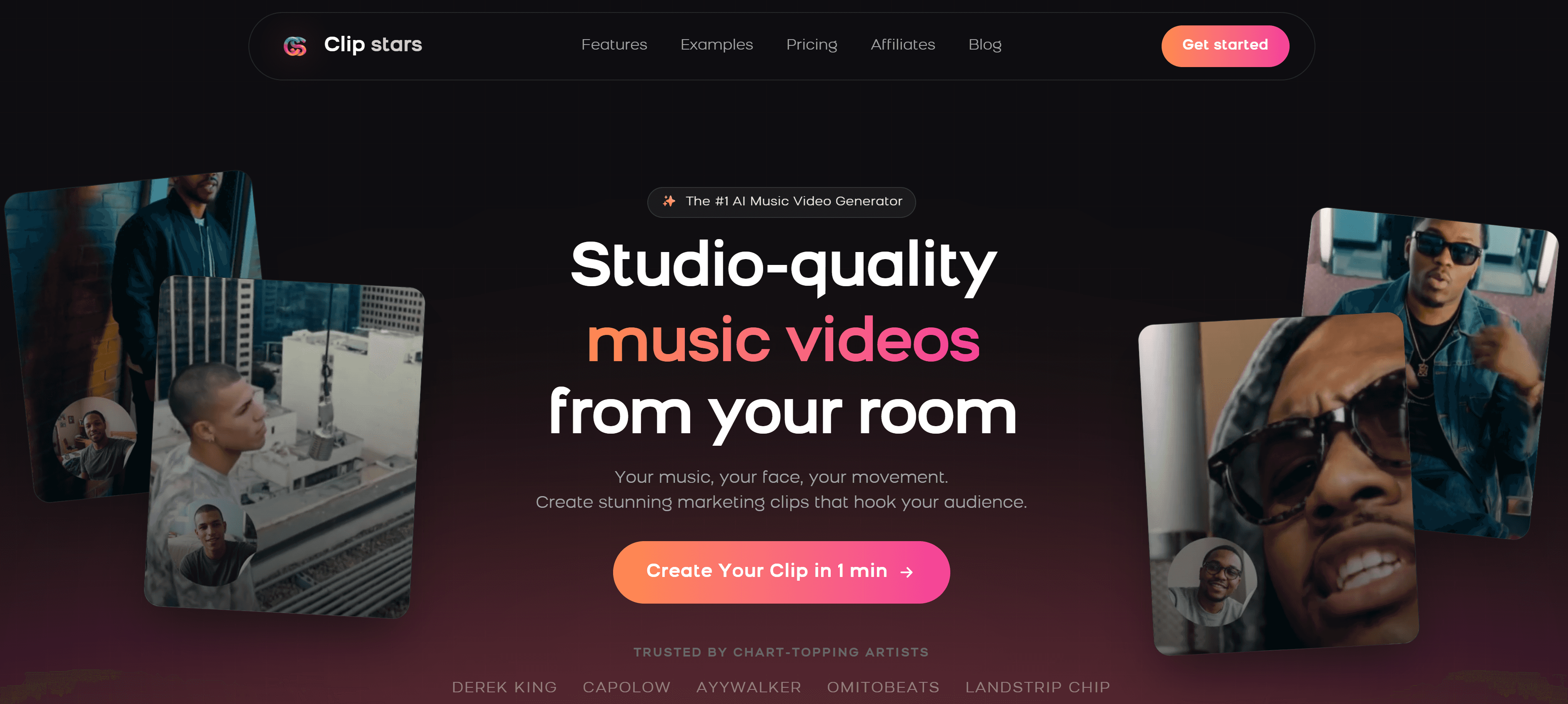
Go to Clipstars.ai and upload your MP3, WAV, or FLAC file directly. Clipstars also accepts imports from Suno and Udio if you are working with AI-generated music. The platform reads the full waveform immediately.
Pro tip: Trim silence from the beginning and end of your file before uploading. Most AI platforms include any silence in the render, which wastes your intro seconds — the most valuable real estate on any social platform.
Step 2 — Choose a Visual Style
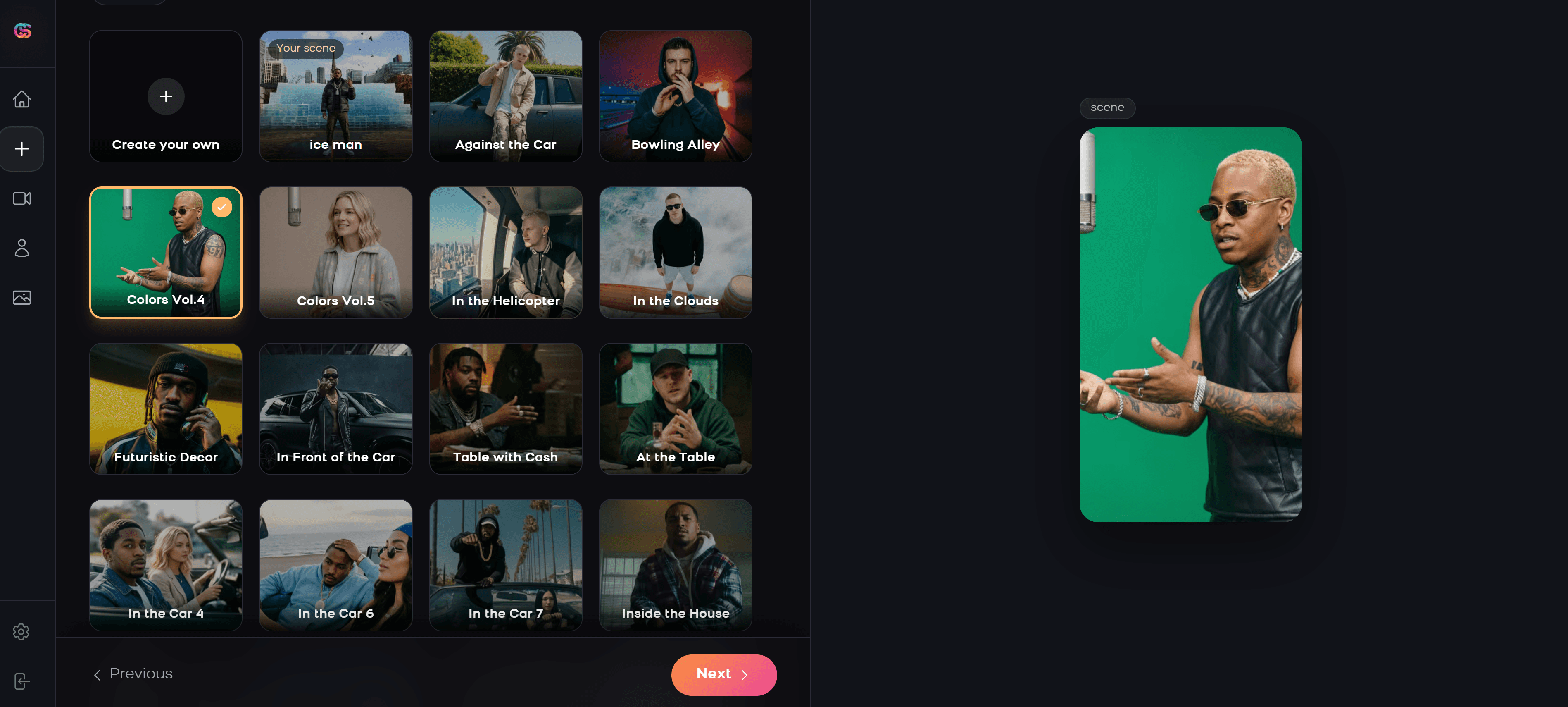
Clipstars offers several visual modes:
AI Scene Generation — the platform creates original cinematic or abstract visuals synced to your track
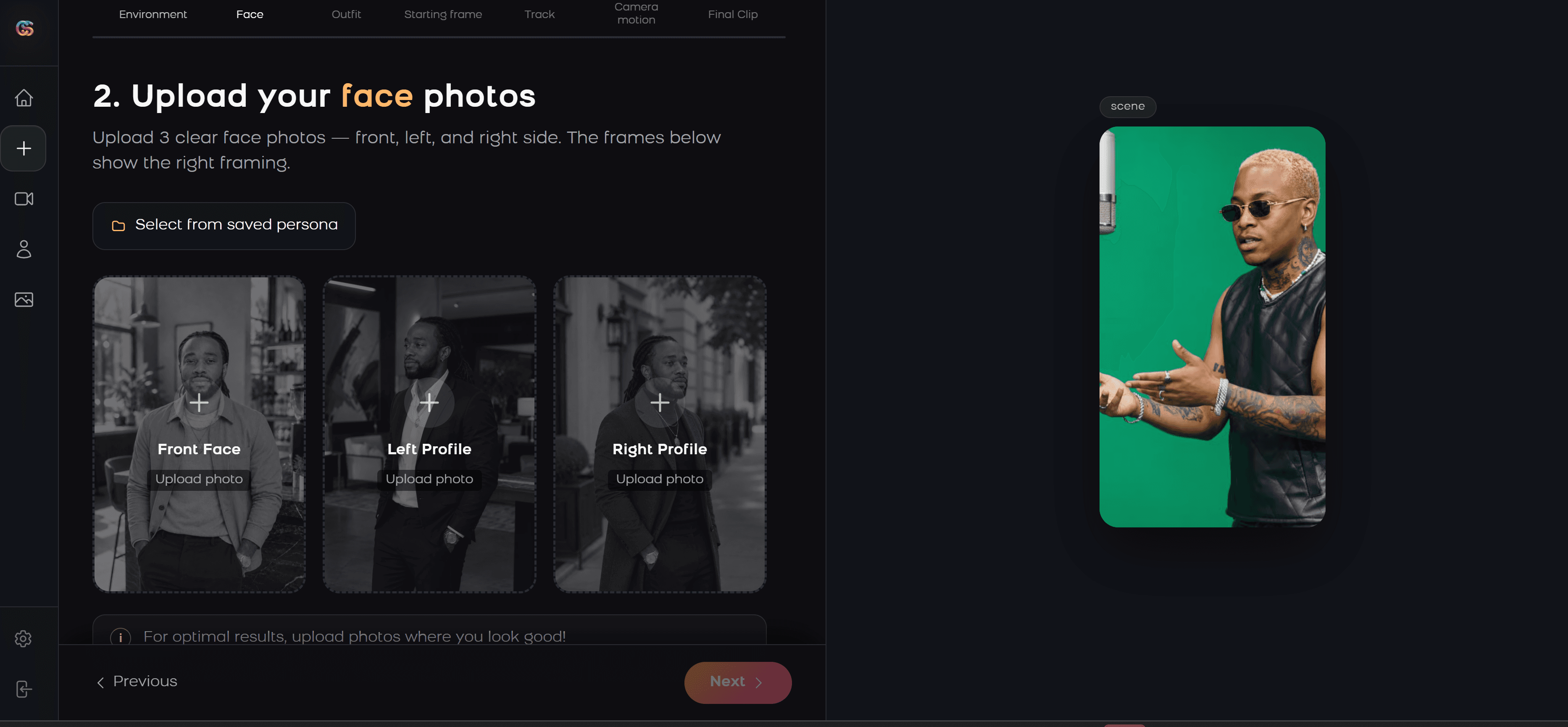
Image-to-Video (I2V) — upload a reference photo (band artwork, a portrait, a location) and Clipstars generates visuals that stay consistent with that visual identity
Beat Visualizer — frequency-reactive waveforms and particle effects, ideal for EDM and lo-fi content
Lyric Overlay — auto-transcription of your vocals with animated text; no
.lrcfile needed
For a full artist rollout, the I2V mode is the most powerful: one reference image keeps all your videos visually unified.
Step 3 — Set Your Aspect Ratio
Choose your target platform before rendering — most tools do not allow format changes after the fact.
Platform | Ratio | Resolution |
|---|---|---|
TikTok | 9:16 vertical | 1080 × 1920 |
Instagram Reels | 9:16 vertical | 1080 × 1920 |
YouTube Shorts | 9:16 vertical | 1080 × 1920 |
YouTube (standard) | 16:9 horizontal | 1920 × 1080 |
Instagram Feed | 1:1 square | 1080 × 1080 |
Important 2026 update: YouTube extended Shorts to a maximum of 3 minutes in 2025. Full singles are now viable for the Shorts format — and most artists have not taken advantage yet, creating a real opportunity with low competition in that slot.
Step 4 — Let Genre-Aware Pacing Do the Work
This is where Clipstars separates from generic video tools. Rather than treating every track the same, the platform uses what it calls Genre-Aware Pacing: the AI understands genre dynamics and adjusts visual transitions accordingly.
EDM drops → hard cuts and high-frequency transitions ("Beat-Chop" style)
Indie or ambient tracks → slow dissolves matching the emotional arc
Hip-hop → urban performance environments with BPM-accurate visual accents
Standard tools only detect BPM. Genre-Aware Pacing reads the musical intent, not just the tempo.
Step 5 — Add Lyric Overlays (Optional but Recommended)
85% of social video is watched on mute. This single statistic makes captions one of the highest-ROI changes you can make to any content workflow.
Clipstars includes auto-transcription on its paid tier — the AI listens to your vocals and generates synchronized lyric overlays without any manual input. If your track is primarily instrumental, use descriptive text overlays instead (track title, artist name, release date).
Step 6 — Export and Publish
Clipstars offers direct export presets for TikTok, Instagram Reels, YouTube Shorts, and Facebook — correctly formatted, with platform-specific compression handled automatically. This matters more than it sounds: re-exporting a video for multiple platforms without the right settings degrades quality and can trigger platform compression artifacts.
Render time is approximately 2–4 minutes for a standard 3-minute track. The free tier produces videos under 90 seconds without a watermark.
The 5 Features That Actually Matter in 2026
After testing 23 platforms across six weeks (spanning pop, hip-hop, EDM, indie, and classical), these are the features that move the needle for social media performance:
1. Genre-Aware Beat Synchronization
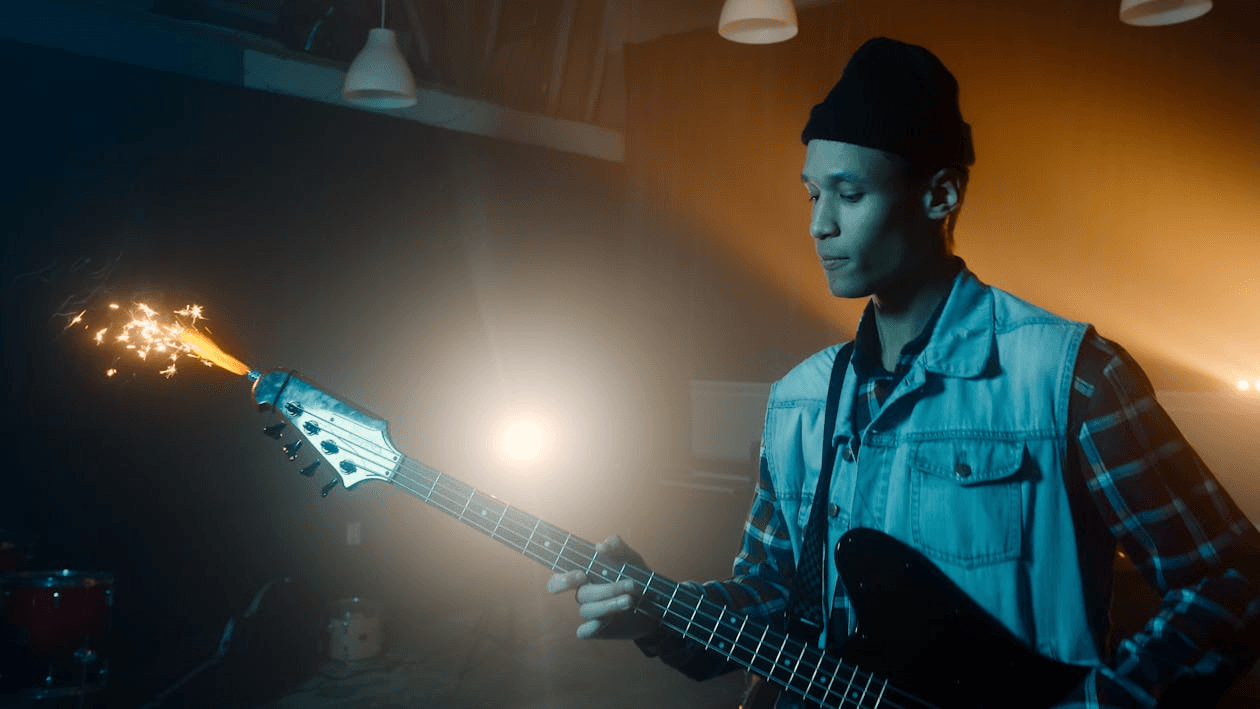
Basic BPM detection is table stakes in 2026. The platforms worth using understand genre dynamics: an EDM drop needs hard cuts, while a piano ballad needs slow dissolves. As New Wave Magazine recently highlighted, the emergence of "Beat-Chop" technology — optimized specifically for hip-hop and electronic music — is the clearest differentiator between generic video tools and music-specific ones.
2. Image-to-Video (I2V) Support
For artists building a visual identity across an album campaign, I2V is the feature that holds everything together. You feed a reference image — a portrait, band photo, or AI-generated artwork — and the platform generates scenes that maintain consistent environments and color palettes across multiple videos.
3. Platform-Specific Export Handling
9:16 for TikTok and Reels, 16:9 for YouTube, 1:1 for Instagram feed. But beyond the ratio, each platform compresses video differently. A good generator handles platform-specific encoding automatically so you are not re-exporting manually for each destination.
4. Auto-Transcription for Lyric Overlays
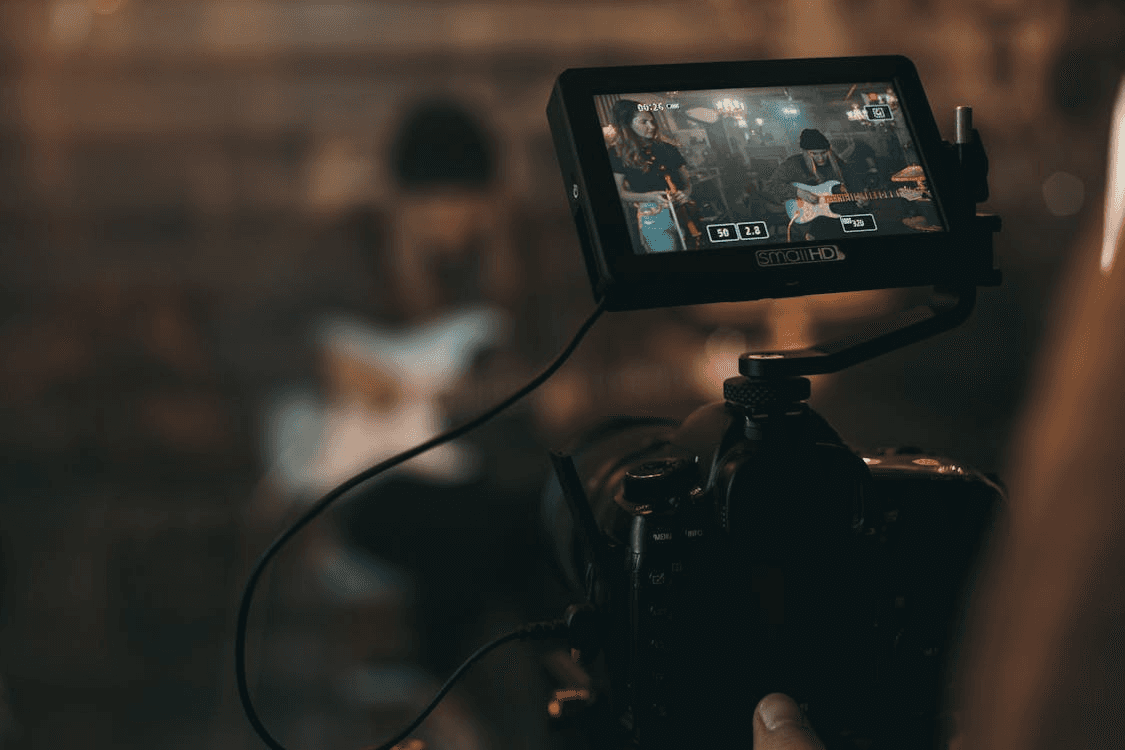
Short-form video is predominantly consumed on mute. Auto-transcription is now available on most paid tiers and removes the barrier of needing a pre-formatted .lrc file. If you are posting regularly and not using captions, you are leaving reach on the table.
5. Copyright-Safe AI Training Data
This matters significantly more in 2026 than it did in 2024. Following Disney, Universal, and Warner Bros.'s lawsuits against Midjourney and MiniMax in 2025 for using copyrighted characters in AI training and output, most professional platforms have moved toward explicitly licensed or ethically sourced training datasets. Before committing to any platform for commercial releases, check their AI training disclosure page.
Top Platforms Compared at a Glance
Platform | Beat Sync | Lyric Video | AI Visuals | I2V Mode | Free Tier | Best For |
|---|---|---|---|---|---|---|
✅ Genre-Aware | ✅ Yes | ✅ Strong | ✅ Yes | ✅ Under 90s | All-in-one workflow | |
⚠️ Basic | ✅ Best | ⚠️ Generic | ❌ No | ✅ (watermark) | Lyric-focused | |
Beatviz.ai | ✅ Frequency | ❌ No | ❌ No | ❌ No | ❌ No | Visualizers / EDM |
Runway Gen-4 | ❌ Manual | ❌ No | ✅ Best | ✅ Yes | ✅ Limited | Cinematic quality |
Kapwing | ⚠️ Semi-auto | ✅ Good | ⚠️ Limited | ❌ No | ✅ Yes | Teams / editing flexibility |
2026 Trends Reshaping AI Music Videos
ByteDance Enters the Arena
As reported by Social Media Today in February 2026, ByteDance launched a native AI video generation tool with direct TikTok integration. Its "Trend-Sync" feature automatically syncs visual transitions to trending audio and uses real-time trend analysis to suggest visual styles currently performing well on the platform. Currently limited to brand accounts, it signals where native AI video creation is heading — and will create real competitive pressure on third-party tools over the next 12 months.
The 3-Minute Shorts Opportunity
YouTube extended its Shorts maximum length to 3 minutes in 2025. Most music creators have not adapted yet. Channels posting Shorts grow 50% faster year-over-year (Q1 2026, AutoFaceless). Full singles are now viable for the format — and competition in that slot remains low. This is an asymmetric opportunity that is closing slowly as more artists discover it.
I2V Is Now the Professional Standard
The shift toward image-to-video workflows has accelerated sharply in early 2026, as confirmed by Cybernews in May 2026. For artists running a multi-video campaign, I2V solves the visual consistency problem that has historically made AI videos feel disconnected across a release.
Copyright Clarity Is Becoming a Buying Signal
Following the Disney, Universal, and Warner Bros. lawsuits against AI platforms in 2025, professional buyers are now checking AI training data disclosures before committing to platforms for commercial releases. Platforms that can demonstrate licensed or ethically sourced training data command a small but growing premium. This is a legitimate reason to choose carefully.
How Much Does It Cost in 2026?
According to a May 2026 report by Geeky Gadgets, out of ten popular free AI video tools tested in 2026, only three delivered results suitable for real brand use. Pricing has stabilized considerably:
Free with meaningful limits: Clipstars.ai (no watermark under 90 seconds), Kapwing, Genmo
Entry-level paid ($10–$16/month): Clipstars Pro at $14/month, Beatviz.ai from $10/month, Kapwing Pro from $16/month
Mid-tier ($15–$25/month): Freebeat Pro ~$15/month, Runway Standard from $12/month
Heavy production ($35+/month): Runway Gen-4 for cinematic output
For most independent artists, a $14/month Pro plan on a platform like Clipstars covers everything needed for consistent posting. At daily posting frequency, that works out to roughly $0.50 per video — a fraction of what freelance editing costs.
5 Mistakes That Kill Your Reach
1. Posting horizontal video on TikTok and Shorts. Vertical video takes up significantly more screen real estate on mobile and receives preferential algorithmic distribution. There is no upside to posting horizontal on either platform.
2. Wasting the first 2 seconds. According to short-form video data compiled by Marketing LTB in March 2026, 71% of viewers decide within the first few seconds whether a video is worth continuing. A black fade-in or slow logo reveal will cost you reach every time.
3. Reusing recognizable stock footage. TikTok's content recognition has become significantly more sophisticated. AI-generated visuals, even imperfect ones, consistently outperform recycled stock clips because they are technically unique per render.
4. Skipping captions entirely. 85% of social video is consumed on mute. Lyric overlays and auto-captions are among the highest-return upgrades available in any posting workflow.
5. Missing the YouTube Shorts 3-minute window. Most music creators still cap their Shorts at 60 seconds out of habit. Full-length singles are now viable. The competition in the 2–3 minute Shorts slot is minimal compared to standard content.
15 Frequently Asked Questions
1. What is the best AI music video generator in 2026? For most independent artists and social media managers, Clipstars.ai offers the most complete workflow — beat sync, lyric overlays, AI visuals, I2V mode, and platform-specific export in a single tool at $14/month. For pure lyric videos, Freebeat.ai is the strongest alternative.
2. Can AI create a music video from just an MP3? Yes. Upload a plain audio file and most platforms — including Clipstars.ai, Onemoreshot.ai, and Beatviz.ai — generate visuals automatically. Supplying a reference image via I2V mode consistently improves visual quality and consistency.
3. How long does it take to make an AI music video? Anywhere from 90 seconds (Onemoreshot.ai) to 10+ minutes (Runway Gen-4). Clipstars.ai takes approximately 2–4 minutes for a standard 3-minute track.
4. Is there a free AI music video generator? Yes. Clipstars.ai offers a free tier for videos under 90 seconds with no watermark. Kapwing and Genmo also have usable free tiers. Most free tiers include meaningful limitations on resolution, length, or render quality.
5. What aspect ratio should I use for TikTok and Instagram Reels? 9:16 vertical (1080 × 1920 pixels). This applies to TikTok, Instagram Reels, and YouTube Shorts. Standard YouTube content uses 16:9 horizontal.
6. Does YouTube Shorts now support full-length songs? Yes. YouTube extended the maximum Shorts length to 3 minutes in 2025. Full singles are now viable in the Shorts format, and competition in that duration range remains low.
7. What is Genre-Aware Pacing? Genre-Aware Pacing is a feature where the AI adjusts visual transition style and speed based on the emotional arc of the music, not just the BPM. This produces more natural-feeling results — hard cuts for EDM drops, slow dissolves for indie ballads — compared to standard beat detection.
8. What is Image-to-Video (I2V) and why does it matter for artists? I2V lets you feed a reference photo — a portrait, album artwork, a landscape — that "anchors" the visual identity of your AI-generated video. All generated scenes maintain visual consistency with that image, which is critical for a coherent multi-video album campaign.
9. Are AI-generated music videos copyright safe for commercial use? It depends on the platform's training data sourcing. Following the Disney/Universal/Warner lawsuits in 2025, most professional platforms have shifted to licensed datasets. Check each platform's AI training disclosure before commercial use. Your original audio retains its own copyright regardless.
10. What is the difference between a beat visualizer and an AI music video? A beat visualizer reacts to audio frequency data — waveforms, bars, particle effects. An AI music video generator creates original visual scenes driven by scene generation models. Some platforms, including Clipstars.ai, do both.
11. Can I add lyrics automatically without a .lrc file? Yes. Clipstars.ai and Freebeat.ai both include auto-transcription: the AI listens to your audio and generates synchronized lyric overlays without any pre-formatted file. This is now standard on most paid tiers.
12. Which AI video platform is best for EDM content? Beatviz.ai for pure audio-reactive visualizers. Clipstars.ai for AI-generated scenes with high-frequency Beat-Chop transitions that match EDM's tempo demands.
13. Can I use AI music videos on Spotify Canvas? Yes. Spotify Canvas accepts 3–8 second looping vertical videos. Platforms with strong looping output — including Genmo — are particularly well-suited to this format.
14. How many platforms do I actually need? Most creators in 2026 use one primary all-in-one platform for the bulk of their content and optionally one secondary tool for a specific use case (dedicated visualizer, advanced lyric animation). More than two tools typically adds friction without proportional quality gains.
15. Will TikTok's native AI tools replace third-party generators? ByteDance's native AI tool (February 2026) is currently limited to brand accounts. For independent artists, third-party platforms like Clipstars remain more accessible and flexible. The TikTok-native tool is worth monitoring, but it is not a replacement for general-purpose workflows yet.
Internal Links
Top 6 Music Video Generator Tools That Actually Understand Your Music (2026)
How to Use an AI Music Video Generator from Audio File in 2026
Quick Answer: The fastest way to turn an audio file into a social-ready music video in 2026 is to use an AI music video generator that handles beat detection, visual generation, and platform-specific export in one workflow. Tools like Clipstars.ai can take you from MP3 to TikTok-ready video in under five minutes — no editing experience required. If you also need lyric overlays, Freebeat.ai is worth a look for that specific use case.
Why Every Artist Needs a Music Video in 2026
A song without visuals is effectively invisible in 2026. The numbers are hard to argue with:
YouTube Shorts now generates over 200 billion daily views with a 5.91% average engagement rate — the highest of any short-form platform (Q1 2026, AutoFaceless / Loopex Digital)
TikTok users spend an average of 95 minutes per day on the platform
Instagram Reels are reshared 4.5 billion times daily through DMs alone
Short-form video now accounts for 43% of all social media content consumed worldwide (NewMedia, March 2026)
Tracks with dynamic visuals see a 40% higher retention rate than static audio uploads (HitPaw, April 2026)
Meanwhile, professional music video production still costs between $5,000 and $50,000. Even basic lyric videos on Fiverr run $150–$300 per track. For independent artists and social media managers posting multiple times per week, that math simply does not work.
AI music video generators change that equation entirely. According to a March 2026 analysis by One More Shot, AI tools reduce production costs by 90–99% for most creator use cases. The AI video generator market, valued at $716.8 million in 2025, is projected to reach $3,350 million by 2034 — a signal of just how rapidly the space is maturing.
What Is an AI Music Video Generator?
An AI music video generator is software that takes an audio file — typically an MP3, WAV, or FLAC — and automatically produces a synchronized video using artificial intelligence. Depending on the platform, this can mean:
Beat visualizers that react to audio frequency data (waveforms, bars, particle effects)
AI-generated scenes that create original cinematic or abstract visuals from text prompts or reference images
Lyric video generators that transcribe your vocals and animate text in sync
Image-to-Video (I2V) workflows that anchor a reference photo and generate consistent visuals around it
As Cybernews noted in May 2026, I2V has become the dominant method for professional branding campaigns, because it maintains visual consistency — the same environments, color palette, and characters — across an entire EP or album rollout.
How to Make an AI Music Video: Step-by-Step Guide with Clipstars
Here is the exact workflow used by independent artists to go from audio file to published video in under 10 minutes, using Clipstars.ai as the primary tool.
Step 1 — Upload Your Audio File
Go to Clipstars.ai and upload your MP3, WAV, or FLAC file directly. Clipstars also accepts imports from Suno and Udio if you are working with AI-generated music. The platform reads the full waveform immediately.
Pro tip: Trim silence from the beginning and end of your file before uploading. Most AI platforms include any silence in the render, which wastes your intro seconds — the most valuable real estate on any social platform.
Step 2 — Choose a Visual Style
Clipstars offers several visual modes:
AI Scene Generation — the platform creates original cinematic or abstract visuals synced to your track
Image-to-Video (I2V) — upload a reference photo (band artwork, a portrait, a location) and Clipstars generates visuals that stay consistent with that visual identity
Beat Visualizer — frequency-reactive waveforms and particle effects, ideal for EDM and lo-fi content
Lyric Overlay — auto-transcription of your vocals with animated text; no
.lrcfile needed
For a full artist rollout, the I2V mode is the most powerful: one reference image keeps all your videos visually unified.
Step 3 — Set Your Aspect Ratio
Choose your target platform before rendering — most tools do not allow format changes after the fact.
Platform | Ratio | Resolution |
|---|---|---|
TikTok | 9:16 vertical | 1080 × 1920 |
Instagram Reels | 9:16 vertical | 1080 × 1920 |
YouTube Shorts | 9:16 vertical | 1080 × 1920 |
YouTube (standard) | 16:9 horizontal | 1920 × 1080 |
Instagram Feed | 1:1 square | 1080 × 1080 |
Important 2026 update: YouTube extended Shorts to a maximum of 3 minutes in 2025. Full singles are now viable for the Shorts format — and most artists have not taken advantage yet, creating a real opportunity with low competition in that slot.
Step 4 — Let Genre-Aware Pacing Do the Work
This is where Clipstars separates from generic video tools. Rather than treating every track the same, the platform uses what it calls Genre-Aware Pacing: the AI understands genre dynamics and adjusts visual transitions accordingly.
EDM drops → hard cuts and high-frequency transitions ("Beat-Chop" style)
Indie or ambient tracks → slow dissolves matching the emotional arc
Hip-hop → urban performance environments with BPM-accurate visual accents
Standard tools only detect BPM. Genre-Aware Pacing reads the musical intent, not just the tempo.
Step 5 — Add Lyric Overlays (Optional but Recommended)
85% of social video is watched on mute. This single statistic makes captions one of the highest-ROI changes you can make to any content workflow.
Clipstars includes auto-transcription on its paid tier — the AI listens to your vocals and generates synchronized lyric overlays without any manual input. If your track is primarily instrumental, use descriptive text overlays instead (track title, artist name, release date).
Step 6 — Export and Publish
Clipstars offers direct export presets for TikTok, Instagram Reels, YouTube Shorts, and Facebook — correctly formatted, with platform-specific compression handled automatically. This matters more than it sounds: re-exporting a video for multiple platforms without the right settings degrades quality and can trigger platform compression artifacts.
Render time is approximately 2–4 minutes for a standard 3-minute track. The free tier produces videos under 90 seconds without a watermark.
The 5 Features That Actually Matter in 2026
After testing 23 platforms across six weeks (spanning pop, hip-hop, EDM, indie, and classical), these are the features that move the needle for social media performance:
1. Genre-Aware Beat Synchronization
Basic BPM detection is table stakes in 2026. The platforms worth using understand genre dynamics: an EDM drop needs hard cuts, while a piano ballad needs slow dissolves. As New Wave Magazine recently highlighted, the emergence of "Beat-Chop" technology — optimized specifically for hip-hop and electronic music — is the clearest differentiator between generic video tools and music-specific ones.
2. Image-to-Video (I2V) Support
For artists building a visual identity across an album campaign, I2V is the feature that holds everything together. You feed a reference image — a portrait, band photo, or AI-generated artwork — and the platform generates scenes that maintain consistent environments and color palettes across multiple videos.
3. Platform-Specific Export Handling
9:16 for TikTok and Reels, 16:9 for YouTube, 1:1 for Instagram feed. But beyond the ratio, each platform compresses video differently. A good generator handles platform-specific encoding automatically so you are not re-exporting manually for each destination.
4. Auto-Transcription for Lyric Overlays
Short-form video is predominantly consumed on mute. Auto-transcription is now available on most paid tiers and removes the barrier of needing a pre-formatted .lrc file. If you are posting regularly and not using captions, you are leaving reach on the table.
5. Copyright-Safe AI Training Data
This matters significantly more in 2026 than it did in 2024. Following Disney, Universal, and Warner Bros.'s lawsuits against Midjourney and MiniMax in 2025 for using copyrighted characters in AI training and output, most professional platforms have moved toward explicitly licensed or ethically sourced training datasets. Before committing to any platform for commercial releases, check their AI training disclosure page.
Top Platforms Compared at a Glance
Platform | Beat Sync | Lyric Video | AI Visuals | I2V Mode | Free Tier | Best For |
|---|---|---|---|---|---|---|
✅ Genre-Aware | ✅ Yes | ✅ Strong | ✅ Yes | ✅ Under 90s | All-in-one workflow | |
⚠️ Basic | ✅ Best | ⚠️ Generic | ❌ No | ✅ (watermark) | Lyric-focused | |
Beatviz.ai | ✅ Frequency | ❌ No | ❌ No | ❌ No | ❌ No | Visualizers / EDM |
Runway Gen-4 | ❌ Manual | ❌ No | ✅ Best | ✅ Yes | ✅ Limited | Cinematic quality |
Kapwing | ⚠️ Semi-auto | ✅ Good | ⚠️ Limited | ❌ No | ✅ Yes | Teams / editing flexibility |
2026 Trends Reshaping AI Music Videos
ByteDance Enters the Arena
As reported by Social Media Today in February 2026, ByteDance launched a native AI video generation tool with direct TikTok integration. Its "Trend-Sync" feature automatically syncs visual transitions to trending audio and uses real-time trend analysis to suggest visual styles currently performing well on the platform. Currently limited to brand accounts, it signals where native AI video creation is heading — and will create real competitive pressure on third-party tools over the next 12 months.
The 3-Minute Shorts Opportunity
YouTube extended its Shorts maximum length to 3 minutes in 2025. Most music creators have not adapted yet. Channels posting Shorts grow 50% faster year-over-year (Q1 2026, AutoFaceless). Full singles are now viable for the format — and competition in that slot remains low. This is an asymmetric opportunity that is closing slowly as more artists discover it.
I2V Is Now the Professional Standard
The shift toward image-to-video workflows has accelerated sharply in early 2026, as confirmed by Cybernews in May 2026. For artists running a multi-video campaign, I2V solves the visual consistency problem that has historically made AI videos feel disconnected across a release.
Copyright Clarity Is Becoming a Buying Signal
Following the Disney, Universal, and Warner Bros. lawsuits against AI platforms in 2025, professional buyers are now checking AI training data disclosures before committing to platforms for commercial releases. Platforms that can demonstrate licensed or ethically sourced training data command a small but growing premium. This is a legitimate reason to choose carefully.
How Much Does It Cost in 2026?
According to a May 2026 report by Geeky Gadgets, out of ten popular free AI video tools tested in 2026, only three delivered results suitable for real brand use. Pricing has stabilized considerably:
Free with meaningful limits: Clipstars.ai (no watermark under 90 seconds), Kapwing, Genmo
Entry-level paid ($10–$16/month): Clipstars Pro at $14/month, Beatviz.ai from $10/month, Kapwing Pro from $16/month
Mid-tier ($15–$25/month): Freebeat Pro ~$15/month, Runway Standard from $12/month
Heavy production ($35+/month): Runway Gen-4 for cinematic output
For most independent artists, a $14/month Pro plan on a platform like Clipstars covers everything needed for consistent posting. At daily posting frequency, that works out to roughly $0.50 per video — a fraction of what freelance editing costs.
5 Mistakes That Kill Your Reach
1. Posting horizontal video on TikTok and Shorts. Vertical video takes up significantly more screen real estate on mobile and receives preferential algorithmic distribution. There is no upside to posting horizontal on either platform.
2. Wasting the first 2 seconds. According to short-form video data compiled by Marketing LTB in March 2026, 71% of viewers decide within the first few seconds whether a video is worth continuing. A black fade-in or slow logo reveal will cost you reach every time.
3. Reusing recognizable stock footage. TikTok's content recognition has become significantly more sophisticated. AI-generated visuals, even imperfect ones, consistently outperform recycled stock clips because they are technically unique per render.
4. Skipping captions entirely. 85% of social video is consumed on mute. Lyric overlays and auto-captions are among the highest-return upgrades available in any posting workflow.
5. Missing the YouTube Shorts 3-minute window. Most music creators still cap their Shorts at 60 seconds out of habit. Full-length singles are now viable. The competition in the 2–3 minute Shorts slot is minimal compared to standard content.
15 Frequently Asked Questions
1. What is the best AI music video generator in 2026? For most independent artists and social media managers, Clipstars.ai offers the most complete workflow — beat sync, lyric overlays, AI visuals, I2V mode, and platform-specific export in a single tool at $14/month. For pure lyric videos, Freebeat.ai is the strongest alternative.
2. Can AI create a music video from just an MP3? Yes. Upload a plain audio file and most platforms — including Clipstars.ai, Onemoreshot.ai, and Beatviz.ai — generate visuals automatically. Supplying a reference image via I2V mode consistently improves visual quality and consistency.
3. How long does it take to make an AI music video? Anywhere from 90 seconds (Onemoreshot.ai) to 10+ minutes (Runway Gen-4). Clipstars.ai takes approximately 2–4 minutes for a standard 3-minute track.
4. Is there a free AI music video generator? Yes. Clipstars.ai offers a free tier for videos under 90 seconds with no watermark. Kapwing and Genmo also have usable free tiers. Most free tiers include meaningful limitations on resolution, length, or render quality.
5. What aspect ratio should I use for TikTok and Instagram Reels? 9:16 vertical (1080 × 1920 pixels). This applies to TikTok, Instagram Reels, and YouTube Shorts. Standard YouTube content uses 16:9 horizontal.
6. Does YouTube Shorts now support full-length songs? Yes. YouTube extended the maximum Shorts length to 3 minutes in 2025. Full singles are now viable in the Shorts format, and competition in that duration range remains low.
7. What is Genre-Aware Pacing? Genre-Aware Pacing is a feature where the AI adjusts visual transition style and speed based on the emotional arc of the music, not just the BPM. This produces more natural-feeling results — hard cuts for EDM drops, slow dissolves for indie ballads — compared to standard beat detection.
8. What is Image-to-Video (I2V) and why does it matter for artists? I2V lets you feed a reference photo — a portrait, album artwork, a landscape — that "anchors" the visual identity of your AI-generated video. All generated scenes maintain visual consistency with that image, which is critical for a coherent multi-video album campaign.
9. Are AI-generated music videos copyright safe for commercial use? It depends on the platform's training data sourcing. Following the Disney/Universal/Warner lawsuits in 2025, most professional platforms have shifted to licensed datasets. Check each platform's AI training disclosure before commercial use. Your original audio retains its own copyright regardless.
10. What is the difference between a beat visualizer and an AI music video? A beat visualizer reacts to audio frequency data — waveforms, bars, particle effects. An AI music video generator creates original visual scenes driven by scene generation models. Some platforms, including Clipstars.ai, do both.
11. Can I add lyrics automatically without a .lrc file? Yes. Clipstars.ai and Freebeat.ai both include auto-transcription: the AI listens to your audio and generates synchronized lyric overlays without any pre-formatted file. This is now standard on most paid tiers.
12. Which AI video platform is best for EDM content? Beatviz.ai for pure audio-reactive visualizers. Clipstars.ai for AI-generated scenes with high-frequency Beat-Chop transitions that match EDM's tempo demands.
13. Can I use AI music videos on Spotify Canvas? Yes. Spotify Canvas accepts 3–8 second looping vertical videos. Platforms with strong looping output — including Genmo — are particularly well-suited to this format.
14. How many platforms do I actually need? Most creators in 2026 use one primary all-in-one platform for the bulk of their content and optionally one secondary tool for a specific use case (dedicated visualizer, advanced lyric animation). More than two tools typically adds friction without proportional quality gains.
15. Will TikTok's native AI tools replace third-party generators? ByteDance's native AI tool (February 2026) is currently limited to brand accounts. For independent artists, third-party platforms like Clipstars remain more accessible and flexible. The TikTok-native tool is worth monitoring, but it is not a replacement for general-purpose workflows yet.
Internal Links
Top 6 Music Video Generator Tools That Actually Understand Your Music (2026)
How to Use an AI Music Video Generator from Audio File in 2026


import StickyCTA from "https://framer.com/m/StickyCTA-oTce.js@Ywd2H0KGFiYPQhkS5HUJ"